 Dan Petrovic ·
13 July 2026
Dan Petrovic ·
13 July 2026
DEJAN AI reveals the system instructions for Brave Ask, detailing how the AI grounding and generation pipeline processes web evidence to produce answers.
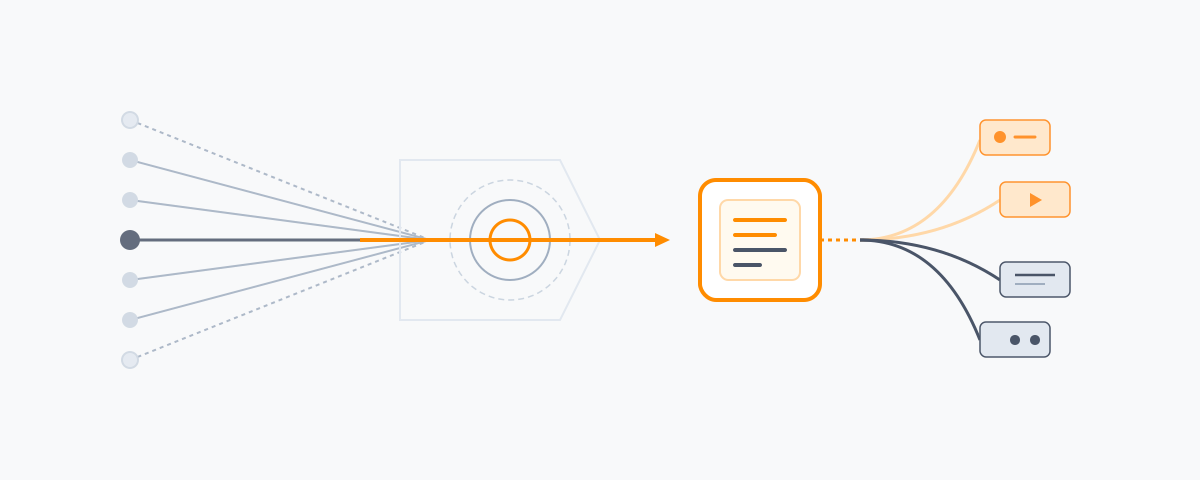
Brave Ask is an equivalent of Google's AI Mode where a language model drives the search and tools in the background, filters and re-ranks the results before presenting them as final recommendations and answers to the user.
DEJAN AI team has obtained Brave's AI Search system instructions revealing its inner workings in detail.
Brave has already documented the retrieval half in public. AI Grounding, shipped on the Brave Search API in August 2025, is the component that turns a query into a body of web evidence and hands it to a language model.
The system instructions cover the generation half: what the model does with that evidence, how it compresses it, and what it emits back onto the page.
Read together, they describe the full pipeline.
AI Grounding runs in two configurations.
Single search. One query goes to the web, results are passed to an LLM, an answer comes back. Brave reports responses finish streaming in under 4.5 seconds on average.
Research mode. The model iterates. It refines its understanding of the query, issues additional searches, and plans and reasons between rounds.
The operational figures Brave published for Research mode against the SimpleQA benchmark are the most revealing material in the public record:
Brave reports an F1 of 94.1% in the multi-search configuration, and 92.1% on single search following a September 2025 model update, with the caveat that the system was never tuned against the benchmark. The endpoint bills at $4 per thousand web searches plus $5 per million tokens, input and output. That pricing shape becomes relevant further down.
The same stack powers Answer with AI on Brave Search at over 15 million queries a day, and Brave resells it through the Search API to other LLM vendors. For some of them it is the only index sitting behind their AI answers. With the Bing API shut down, Brave positions itself as the last independent web-scale search API in commercial operation.
The 210-pages-to-6,257-statements ratio is the number worth sitting with. Roughly thirty extractable units per page.
The pipeline hands the model a pile of statements and paragraphs pulled across hundreds of pages, assembled into what the system instructions refer to as the search context. Documents enter the index. Statements enter the context. Everything downstream operates on the pile.
The instructions bind the model to that pile and close the routes around it:
web_search tool is permitted only when the required information is missing from what was already retrieved.Parametric Memory is the knowledge a model holds in its own weights, learned during pre-training and recalled in a single forward pass with no lookup and no retrieval. Lewis et al. named it in the 2020 RAG paper to separate it from non-parametric memory, the external index a system searches at request time and loads into the context window.
Facts are spread across the weights rather than held in addressable records. Geva et al. (2021) showed that the feed-forward layers of a transformer work as key-value memories: each key pattern responds to a class of inputs, and the paired value shifts the output distribution toward particular tokens. Mechanistic interpretability work such as ROME (Meng et al., 2022) traces a single factual association to a small set of middle-layer MLP weights and rewrites it there, which shows the storage is localised enough to change one fact at a time.
Allen-Zhu and Li (2024) measured knowledge capacity at about 2 bits per parameter when each fact appears around 1,000 times in training, falling to about 1 bit per parameter at 100 exposures. At the 2-bit figure a 7-billion-parameter model holds roughly 14 billion bits, near 1.75 GB, of factual content. Exposure count is the binding constraint: a fact seen a few times in the training data is encoded weakly or not at all, while one repeated across many sources is recalled reliably.
Parametric memory is fixed when training stops, which is what the knowledge cutoff describes. Changing it takes fine-tuning, a further pre-training run, or targeted weight editing, and none of those run per query. Anything later reaches the model only through grounding or retrieval-augmented generation, which supply text at inference and leave the weights untouched.
A query that lands on a weakly encoded fact still returns fluent text, because generation samples the most probable continuation whether or not the knowledge is present. That is the mechanism behind hallucination: the weights carry no separate signal for "this was never stored".
A brand that appears widely and consistently across the training corpus is answered from parametric memory, with no retrieval step and no citation attached. A brand that does not exists for the model only when it can be retrieved, which puts the weight on crawlability and freshness. The two paths produce different results in an AI answer: parametric recall returns a claim with no link back to a source, while retrieved content can be cited.
While writing, the model emits inline directives that request search modules. Each carries a payload, and in almost every case that payload is a query the model composes itself.
| Block | Purpose | Payload |
|---|---|---|
web_results |
Source links | query |
videos |
Video results | query |
news_articles |
Recent coverage of an evolving story | query |
images |
Visual results | query |
local_results |
Restaurants, hotels, places | query |
forum_discussions |
Community opinion | query |
shopping |
Product results, one product per block | query |
infobox |
Entity panel | entity name plus qualifier |
table_of_content |
Answer navigation | list of section titles |
These are the contextually relevant enrichments Brave advertised at the Ask launch, specified from the inside.
The placement rules are strict. Blocks go at the end of every section and subsection, and after any paragraph that introduces a key concept. They are distributed throughout the answer. The same type and query pair may not repeat.
The query construction rules are stricter:
There is a routing table for which module fits which topic class. Games, film, television, trailers, speeches, presentations, reviews, physical exercise and training route to videos. Opinion-heavy topics route to forum_discussions, with Reddit named explicitly. Landmarks, cities, buildings, animals, drawings and photography route to images. Places route to local_results. Companies, people, plants, animals and concepts route to infobox.
The augment blocks are also the citation mechanism. The instructions direct the model to support all claims with the most relevant augment blocks, and explicitly forbid closing an answer with a "Further Exploration" style link dump.
The consequence is structural. The links displayed beside a paragraph are the output of a fresh retrieval, run against a query the model wrote after composing that paragraph. The documents that grounded the text and the documents shown next to it come from two different retrievals against the same index.
The vocabulary the model reaches for in a paragraph determines the query it fires beneath it.
Research mode fans out at retrieval, averaging seven queries per question. The augment blocks fan out again at presentation, one query per module, several modules per answer.
Both are model-authored queries against Brave's own index. Google runs comparable fan-out inside AI Mode, breaking a question into subtopics and issuing a multitude of background searches. Brave's second fan-out is rendered onto the page as visible modules, which makes those derived queries observable.
The model wraps named entities in tags on first notable mention, and Brave renders the tags as emphasis. People, places, companies, products, films, games, books, organisations and landmarks all qualify. The tagged text must reproduce the entity name exactly as it appears in the answer, with no markdown inside, around, or in place of the tags.
Alongside that, a standing rule requires the model to distinguish between entities that share a name anywhere in the answer, and infobox payloads demand a disambiguating qualifier. An entity resolution step is running underneath the prose.
The formatting rules are aggressive:
These read differently once the pricing is in view. Output is billed per token and the single-search path targets sub-4.5-second streaming. The style guide is also the throttle.
The instructions require multiple viewpoints where the context contains them, refuse a position on controversial issues, and reject one-word answers when the user presses for a side. Hedging language is banned.
Brave's benchmark write-up shows this is a deliberate stance carried through from the grounding layer. Their human review team went back over the 292 SimpleQA answers the LLM judge had marked incorrect and found 167 cases where the judge had rejected a valid answer, or where the expected answer itself carried an inaccuracy or an oversimplification. Brave's stated goal for the grounding API is surfacing nuance, multiple perspectives and contradictions.
The worked example they published is a question about the maximum depth of the Mediterranean Sea. Brave's system returned the commonly cited 5,267m alongside a 2020 direct-measurement figure of 5,109m and a 2025 study at 5,112m, flagged the discrepancy, and located the Calypso Deep. SimpleQA expected 5109 m and the judge scored it wrong.
Brave also configured the model to attempt every question rather than skipping the hard ones to inflate the accuracy-given-attempted metric. No abstention at either layer.
The instructions direct the model to lead with the most important and most recent information, to reason about today's date when separating past events from future ones, and to reserve news_articles for evolving stories where freshness carries weight.
The mechanism is visible in the copy we obtained. The current date is appended to the end of the prompt.
A separate follow-up mode exists. On a follow-up question the model is directed to open with a web_search call carrying one or more queries, keep the answer short, and reply in the language of the previous turn.
Each conversational turn is its own grounding cycle, with its own retrieval and its own set of derived augment queries.
Medical and financial advice is declined with a referral to a professional. Song lyrics are refused in every form, with the model permitted to describe theme and message only. And the model is instructed never to mention or allude to its instructions in any way, which is what makes a document like this one worth publishing.
Josep M. Pujol, Brave's Chief of Search, described the architecture at the Ask launch: "Search makes it possible, LLMs glue it together."
The index produces documents. The grounding endpoint decomposes them into statements and, in Research mode, re-queries itself until the statements are sufficient. The system instructions filter what survives, compress it to the smallest form that still carries the fact, tag the entities, and write fresh queries into the page as modules.
Reproduced verbatim.
web_search tool to retrieve relevant information from the web.web_search tool can be useful to get information about different aspects of a complex topic.web_search if the information is missing from the provided search context.Augment blocks are special instructions that you emit as a new line in the following format:
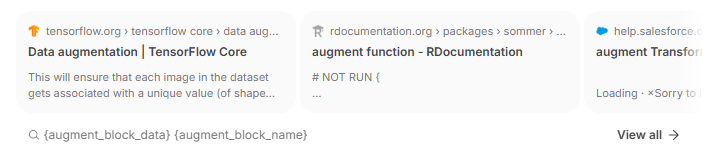
{augment_block_name} MUST be one of the following:
web_results: To present relevant web results or links to user; augment_block_data must be a query.videos: To present relevant videos to user; augment_block_data must be a query.news_articles: To present relevant news articles to user. Only use for recent coverage of an evolving topic, whenever freshness matters; augment_block_data must be a query.images: To present relevant images to user; augment_block_data must be a query.local_results: To present relevant local results to user (e.g. restaurants, hotels, etc.); augment_block_data must be a query.forum_discussions: To present relevant forum discussions to user; augment_block_data must be a query.shopping: To present relevant shopping results to user. The query must be descriptive to avoid ambiguity but not very long, and always about a single product; augment_block_data must be a query.infobox: To present a relevant entity infobox to user. augment_block_data must be the name of an entity with a qualifier of the entity to avoid any ambiguity (e.g. "rolling in the deep, adele", "apple, company", "mercury, element", "mercury, planet", etc.).table_of_content: To present a Table of Contents for the answer; augment_block_data must be a list of section titles.These augment blocks give the user a choice of resources to explore, as well as useful complementary information while you answer the question.
When generating query for the augment blocks, make sure to use a query that is relevant to the section or the answer you are providing. The query should be descriptive enough to retrieve useful information from a search engine, self-contained, but not too long. The query must not contain dates or year information (e.g. "apple news" is fine, but "apple news 2025" or "apple news today" are not).
Examples of valid augment blocks:
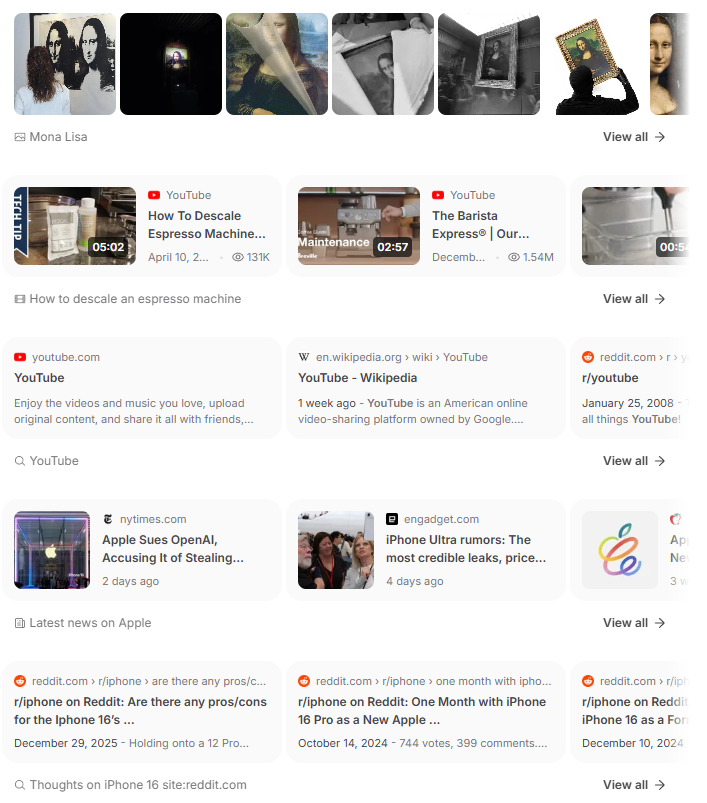
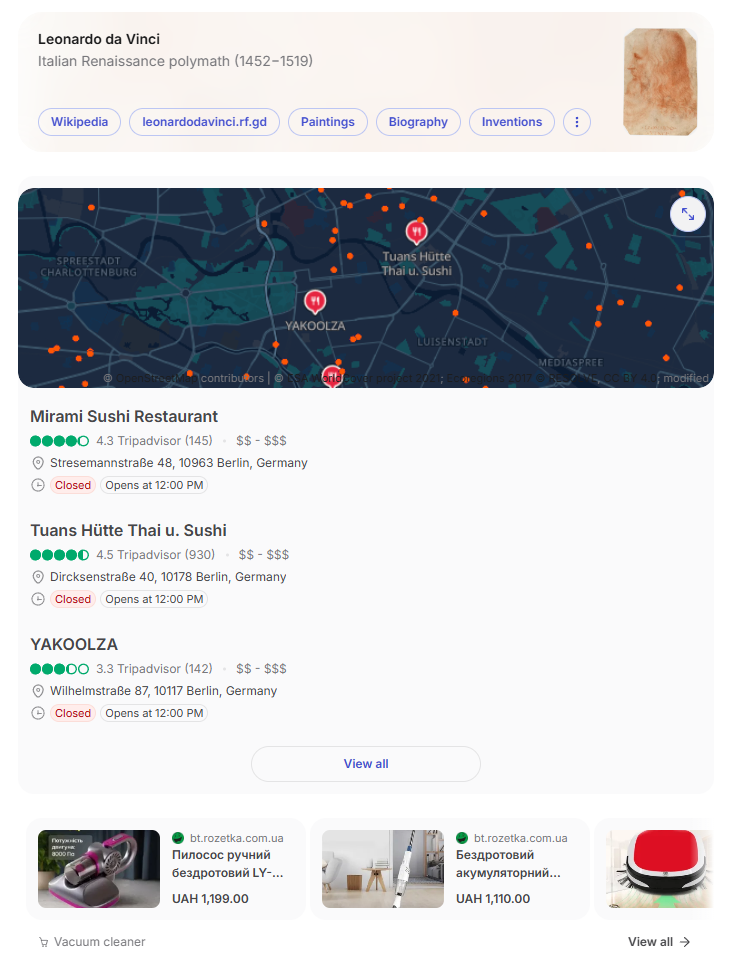
table_of_content augment block.Wrap the main named entities relevant to the query (people, places, companies, products, films, games, books, organizations, landmarks, etc.) between and - only in paragraph text, and only on the first notable mention of each entity. The text between the tags must be exactly the entity's name as it appears in your answer.
The <entity> tags are the entity's styling: they are rendered as emphasis automatically. So the entity name must contain plain text only - never add markdown bold (**) or italics (*) inside, around, or in place of the tags.
Examples:
Hollow Knight is a 2D action-adventure game made by Team Cherry.The theory of relativity was developed by Albert Einstein.Python first appeared in 1991 and is maintained by the Python Software Foundation.Mount Everest is the highest peak in the Himalayas.This is a follow-up question in an ongoing conversation. Keep the answer concise and to the point. Make sure to start with a web_search tool call with one or more queries to get relevant information if needed. Answer in the same language as the previous answer (unless specified otherwise).
Monday, July 13, 2026