 Dan Petrovic ·
18 December 2014
Dan Petrovic ·
18 December 2014
PDFs are black holes of link juice, but won't worry we have a fix for that.
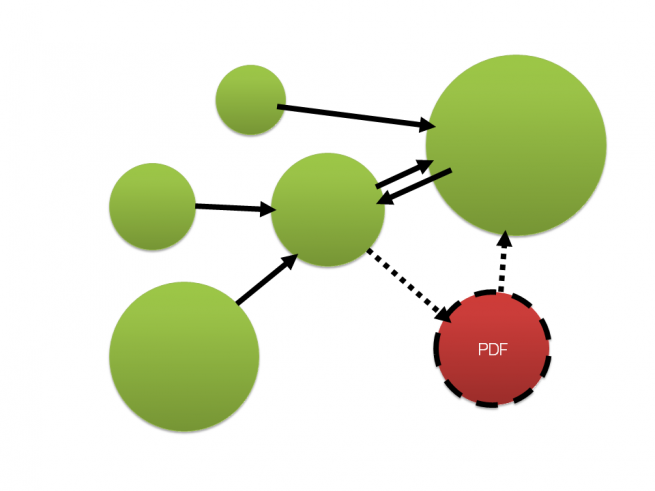
PDF documents are abundant on the web. A quick search will return over one billion results from Google's index and almost all of these documents will have outbound links. Surprisingly all evidence so far suggests that by design, PDF documents don't circulate link signals the way HTML documents do.
According to link graph theory, inbound links PDF documents receive are classified as dangling links and PDFs are treated as dangling nodes. This is due to absence of valid outbound links within this file type.
Google's link graph processing excludes dangling nodes in its initial calculation cycle, consolidating their values in a secondary run. Implications on accuracy and the nature of PageRank of dangling nodes remain unclear.
Here's an example of a PDF slideshow from a guest lecture I did at Griffith University last year. The URL has a PageRank of 2, it's indexed. The link to my website in Google's cache even renders as clean HTML. One would assume that since they can interpret PDF links and convert them to HTML they can also use them as part of their link graph.
I went on a hunt for any references and clarifications made directly by Googlers and found the following:

"We absolutely do process PDF files. I am not going to talk about whether links in PDF files pass PageRank. But, a good way to think about PDFs is that they are kind of like Flash in that they aren't a file format that's inherent and native to the web, but they can be very useful. In the same way that we try to find useful content within a Flash file, we try to find the useful content within a PDF file.
At the same time, users don't always like being sent to a PDF. If you can make your content in a Web-Native format, such as pure HTML, that's often a little more useful to users than just a pure PDF file."
Source: Matt Cutts, Stone Temple Consulting
 Highlights of the John Mueller Feb 14th and Feb 24th hangouts.
By Mark Traphagen via Steve Martin
"John Mueller says that Google will read links in any file (pdf,xls,doc,etc), but will not follow them with link juice. Only proper HTML anchor tagged links in files will pass link juice."
Source: https://plus.google.com/+MarkTraphagen/posts/aAeAY13ujHx
From this I conclude that PDF links are better compared with URLs found in Flash files or JavaScript. As with rel="nofollow" links and written URL references, Google will use PDF links for document discovery, but they won't be treated the same way as web native, HTML links.
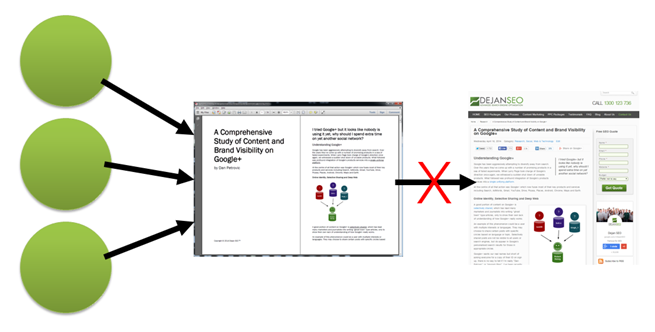
Illustration: PDF document receives PageRank from 3 inbound links, however the link within the PDF document doesn't pass PageRank to its HTML counterpart which would in turn flow it through to the rest of the site and back out to the rest of the web through any external outbound links. The accumulated PageRank stays "trapped" within the PDF document.
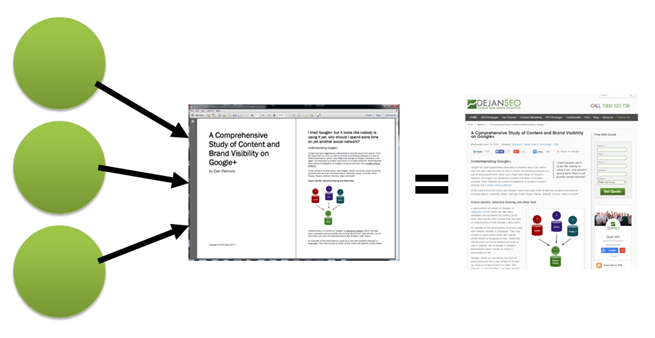
Illustration: PDF is canonicalised towards its HTML counterpart. Links pointing towards the PDF document are now contributing to PageRank of the HTML page, which can then pass it through to the rest of the site.
<Files "Choose-Dejan-SEO.pdf">

Header add Link '<https://dejan.ai/media/html/choose-dejan-seo.html>; rel="canonical"'

</Files>
header('Content-Type: application/pdf');

header('Link <https://dejan.ai/media/html/choose-dejan-seo.html>; rel="canonical"');

readfile('Choose-Dejan-SEO.pdf');
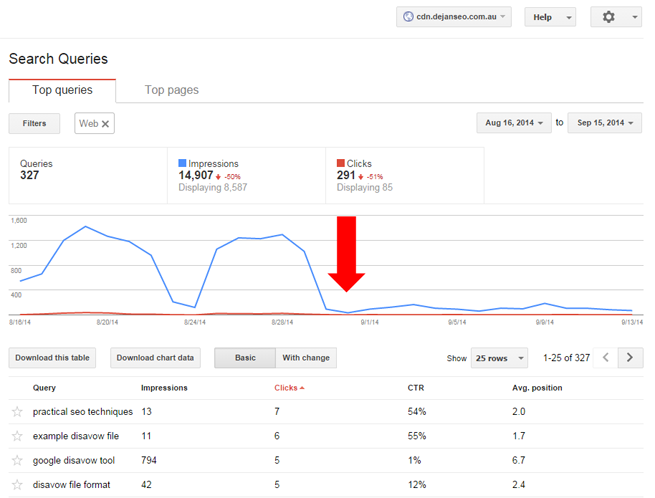
Screenshot: HTML page now appears in search results instead of the PDF.
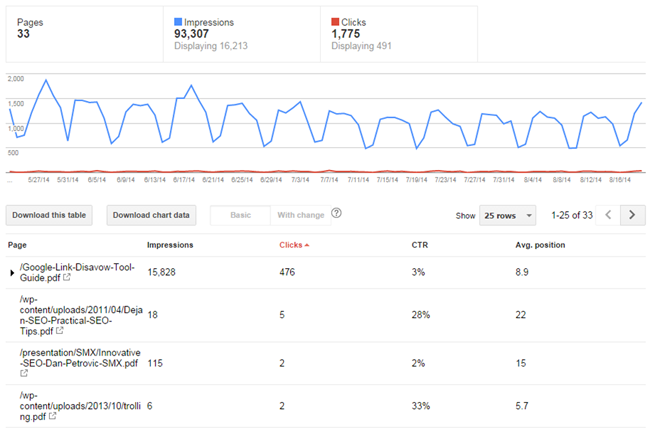
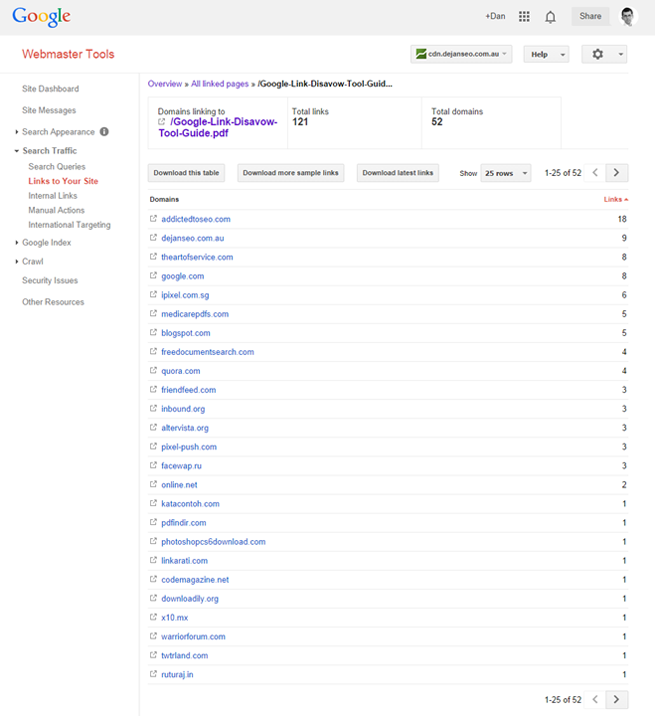
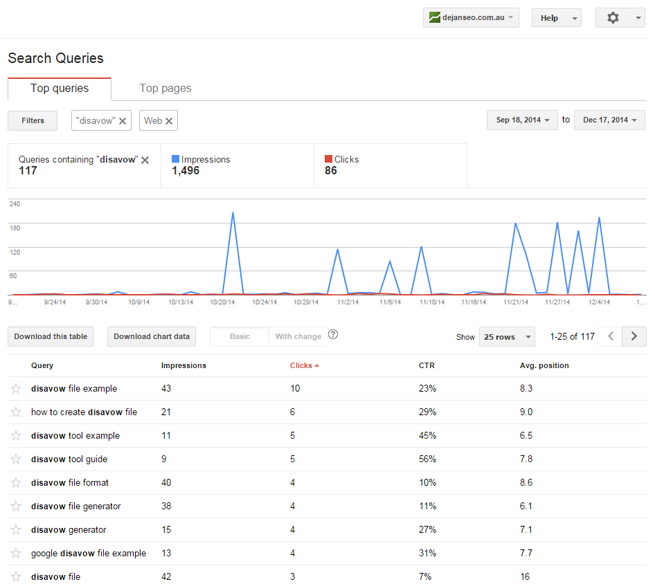
Screenshot: Google Webmaster Tools for our CDN subdomain.
Larry Page
"Dangling links are simply links that point to any page with no outgoing links. [...] Because dangling links do not affect the ranking of any other page directly, we simply remove them from the system until all the PageRanks are calculated. After all the PageRanks are calculated, they can be added back in, without affecting things significantly. Notice the normalization of the other links on the same page as a link which was removed will change slightly, but this should not have a large effect. [..] After the weights have converged, we add the dangling links back in and recompute the rankings. Note after adding the dangling links back in, we need to iterate as many times as was required to remove the dangling links. Otherwise, some of the dangling links will have a zero weight."
/media/pdf/The-PageRank-Citation-Ranking-Bringing-Order-to-the-Web.pdf
Ilse C.F. Ipsen, Rebecca S. Wills
"If web page i has no outlinks then row i of H is zero. Such as web page, called a dangling node, can be a pdf file or a page whose links have not yet been crawled."
http://mira.sai.msu.ru/~megera/docs/IR/search/pagerank/cedya.pdf
Nadav Eiron, Kevin S. McCurley, John A. Tomlin
"Another reason for dangling nodes is pages that genuinely have no outlink. For example, most PostScript and PDF files on the web contain no embedded outlinks, and yet the content tends to be of relatively high quality. A URL might also be a dangling page if it has a meta tag indicating that links should not be followed from the page, or if it requires authentication."
http://meyer.math.ncsu.edu/Meyer/PS_Files/ReorderingPageRank.pdf
AMY N. LANGVILLE AND CARL D. MEYER
"It is well known that many subsets of the web contain a large proportion of dangling nodes, i.e., webpages with no outlinks. Dangling nodes can result from many sources: a page containing an image or a PostScript or pdf file; a page of data tables; or a page whose links have yet to be crawled by the search engine’s spider. These dangling nodes can present philosophical, storage, and computational issues for a search engine such as Google that employs a ranking system for ordering retrieved webpages."
"We now turn to the philosophical issue of the presence of dangling nodes. In one of their early papers [2], Brin et al. report that they “often remove dangling nodes during the computation of PageRank, then add them back in after the PageRanks have converged.” From this vague statement it is hard to say exactly how Brin and Page compute PageRank for the dangling nodes. However, the removal of dangling nodes at any time during the power method does not make intuitive sense. Some dangling nodes should receive high PageRank. For example, a very authoritative pdf file could have many inlinks from respected sources and thus should receive a high PageRank. Simply removing the dangling nodes biases the PageRank vector unjustly."
http://meyer.math.ncsu.edu/Meyer/PS_Files/ReorderingPageRank.pdf
ILSE C. F. IPSEN AND TERESA M. SELEE
"Image files or pdf files, and uncrawled or protected pages have no links to other pages. These pages are called dangling nodes, and their number may exceed the number of nondangling pages."
http://www4.ncsu.edu/~ipsen/ps/simax066433.pdf
Erjia Yan and Ying Ding
"In the language of network analysis, dangling nodes denote the nodes without outgoing links. With the advent of the Web, the concept of dangling nodes became a common topic. It is well understood that most web pages link to and are linked by other pages. But it is possible that some pages do not contain any valid hyperlinks, which may be broken pages (i.e., those that formerly contained hyperlinks but have now become “403/404 Error”) or multimedia data types (i.e., PDF, JPG, PS, MOV)."
http://www.pages.drexel.edu/~ey86/papers/issi2011_submission_157.pdf
Professor Brian A. Davey, La Trobe University
"The problem is caused by the row of zeros in the matrix H. This row of zeros corresponds to the fact that P2 is a dangling node, that is, it has no outlinks. Dangling nodes are very common in the World Wide Web (for example: image files, PDF documents, etc.), and they cause a problem for our random web surfer. When Webster enters a dangling node, he has nowhere to go and is stuck. To overcome this problem, Brin and Page declare that, when Webster enters a dangling page, he may then jump to any page at random."
http://www.amsi.org.au/teacher_modules/pdfs/Maths_delivers/Pagerank5.pdf
AMY N. LANGVILLE AND CARL D. MEYER
"The pages of the web can be classified as either dangling nodes or nondangling nodes. Recall that dangling nodes are webpages that contain no outlinks. All other pages, having at least one outlink, are called nondangling nodes. Dangling nodes exist in many forms. For example, a page of data, a page with a postscript graph, a page with jpeg pictures, a pdf document, a page that has been fetched by a crawler but not yet explored–these are all examples of possible dangling nodes. As the research community moves more and more material online in the form of pdf and postscript files of preprints, talks, slides, and technical reports, the proportion of dangling nodes is growing. In fact, for some subsets of the web, dangling nodes make up 80% of the collection’s pages."
http://www.cems.uvm.edu/~tlakoba/AppliedUGMath/for_talks/DeeperInsidePageRank.pdf
Note: I reached out to the co-author, Amy Langville and asked her whether she thought that modern Google may be handing PDF links differently today in comparison to what has been written more than a decade ago.
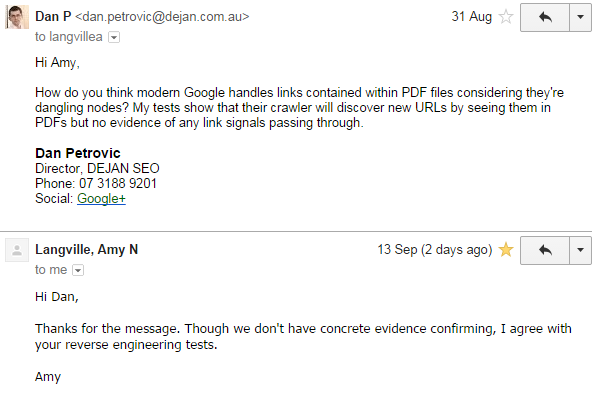
Amy agreed with my observations of Google using PDF links for URL discovery only, though she did state that we don't have solid evidence confirming this.