An analysis of Gemini Embed optimization modes, including classification, retrieval, and semantic similarity, through vector embedding dimension visualization.
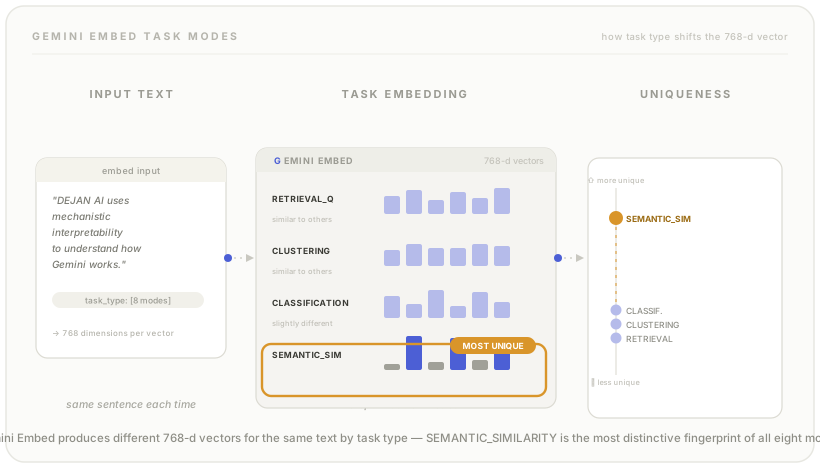
When generating vector embeddings for your text using Gemini Embed there are several embedding optimisation modes:
For each one you get slightly different embeddings, each optimised for the task at hand.
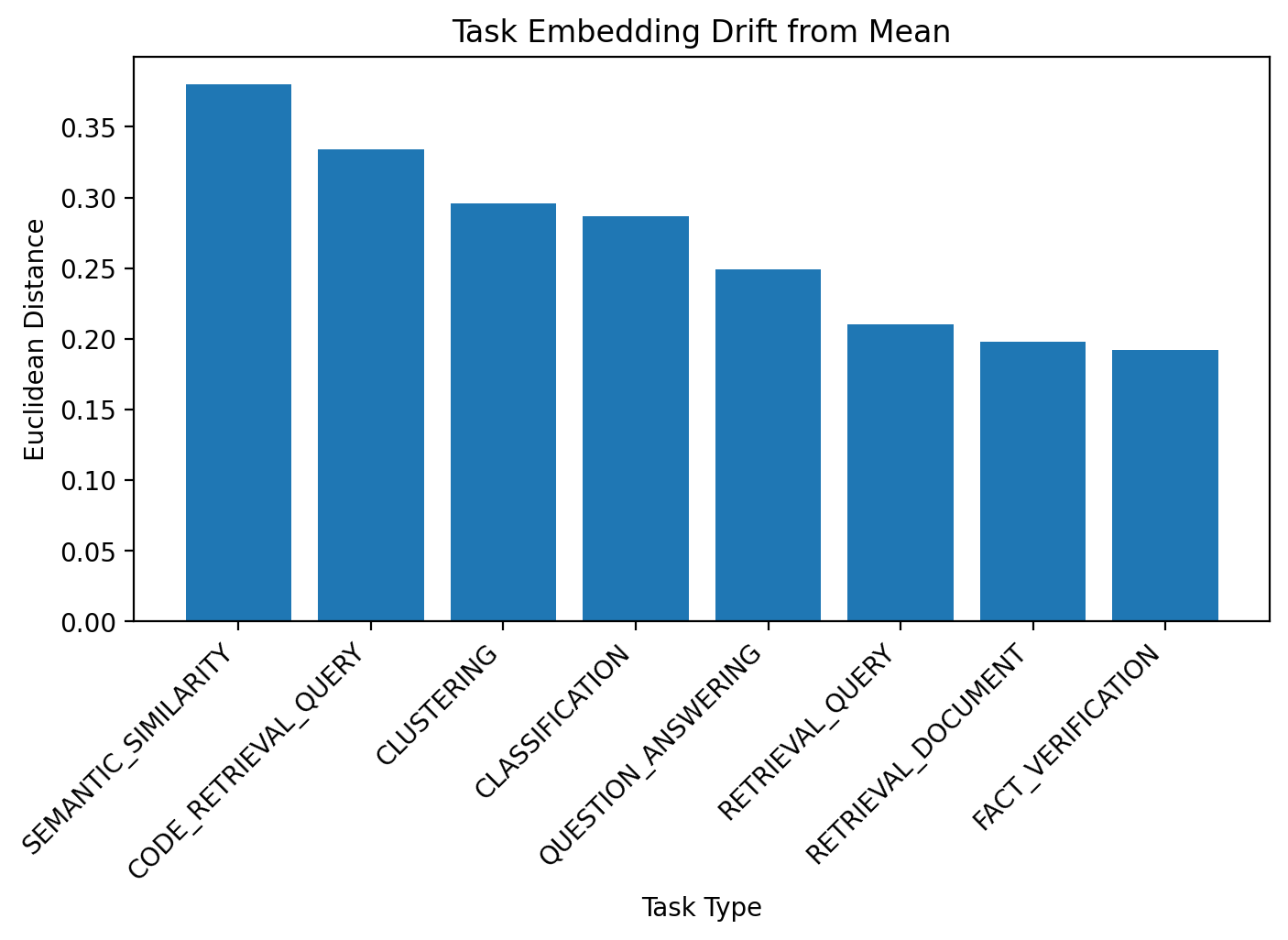
The embeddings for semantic similarity are the most unique from all other types while retrieval query, retrieval document and fact verification embeddings are most similar to all others.
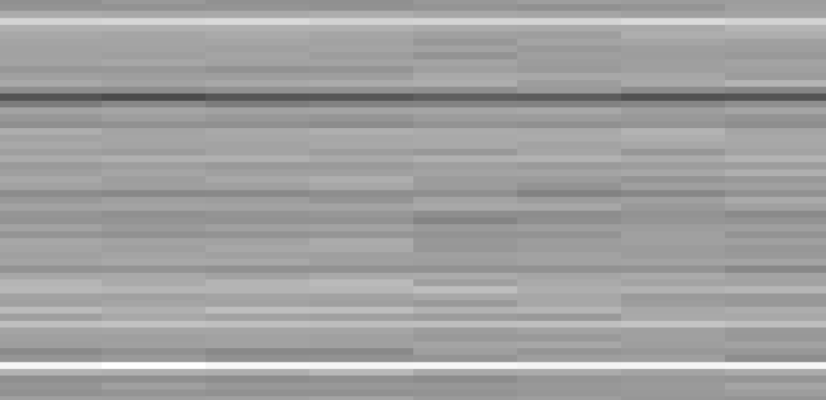
This is the visual representation of the full spectrum of Gemini’s embedding dimensions for the following sentence:
“DEJAN AI uses mechanistic interpretability to understand how Gemini works.”
Top 10 most variable dimensions across task types (by range):
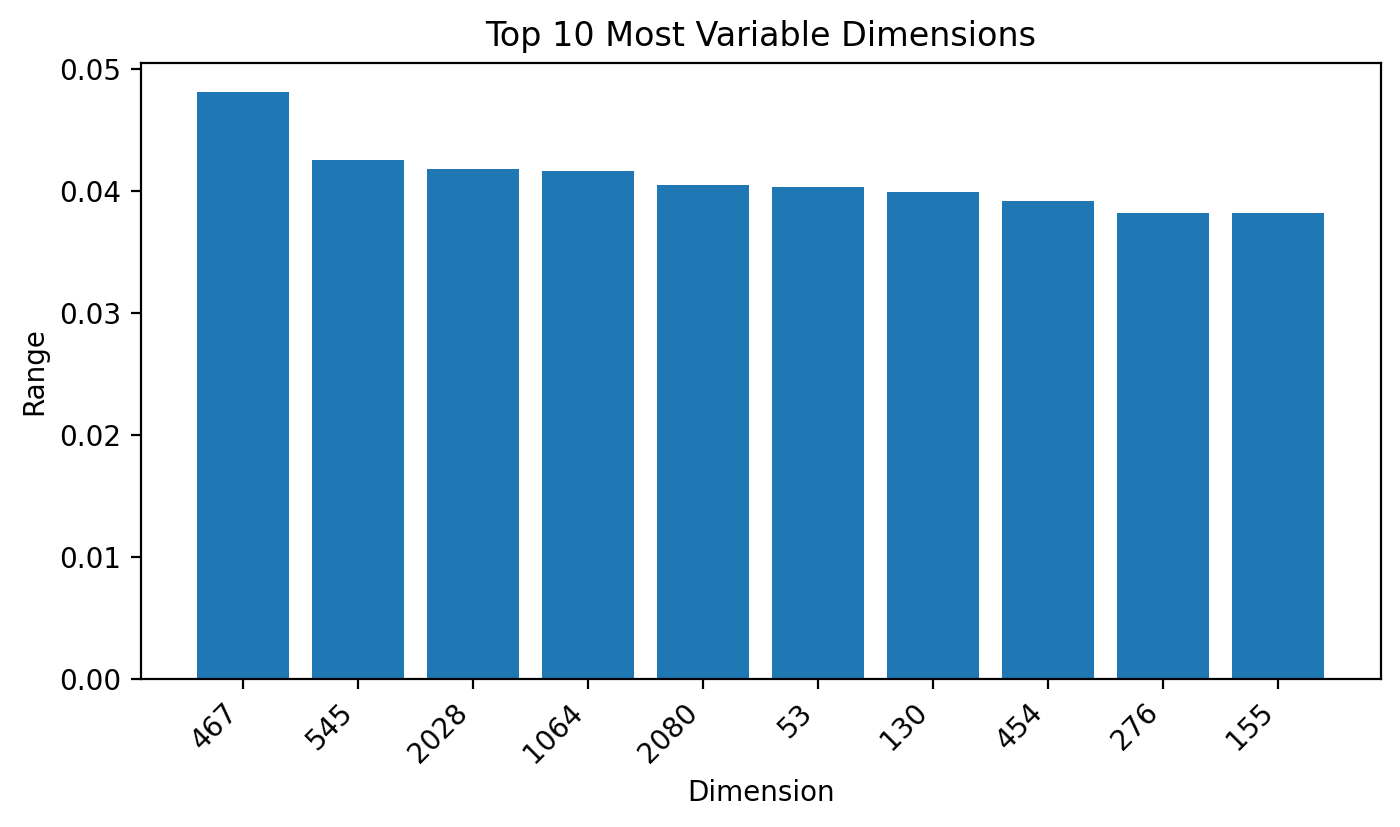
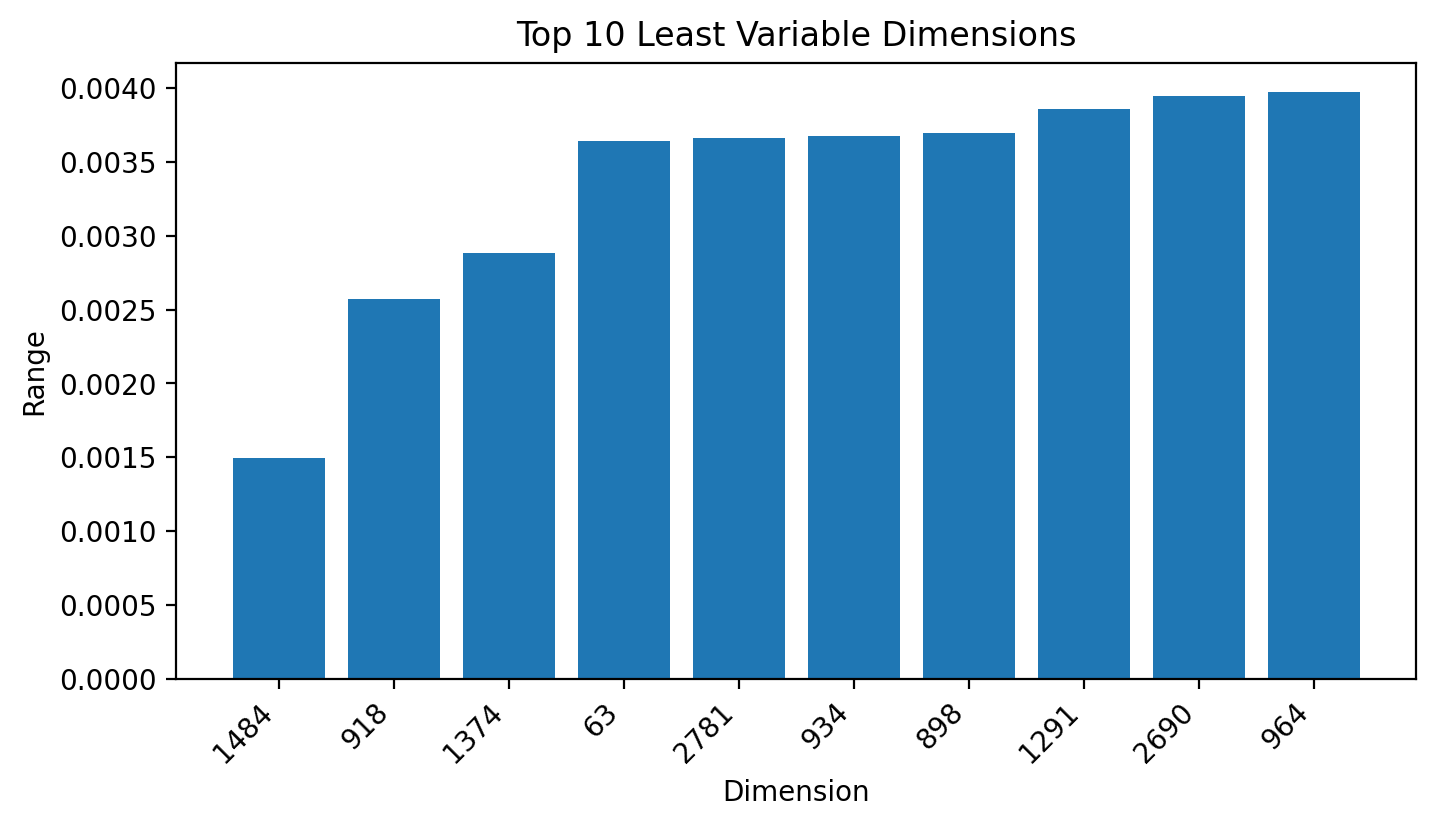
Top 10 least variable dimensions across task types (by range):
A quick visual inspection immediately gives a clue into just how similar the embeddings are between different task types with only a slight shift in values showing faint but perceptible lanes between the task types.
X = Task Type
Y = Dimension
Reveal Full Image (2MB)

 Dan Petrovic ·
16 July 2025
Dan Petrovic ·
16 July 2025