
Chrome Dev includes a quantized Gemini model for tasks like scam prevention. This analysis examines its on-device execution and reverse-engineered prompts.
Inside Chrome Dev, there’s a quantized version of Google’s flagship model Gemini for those who have it enabled. The model does many things from summarization, translation, writing assistance all the way to scam prevention. The model definition is a secret, but its weights are stored as a 3GB .bin file on the user machine.
Inside \User Data\optimization_guide_model_store\55\ folder is a file called on_device_model_execution_config.pb which defines a prompt for Gemini’s role in scam detection.
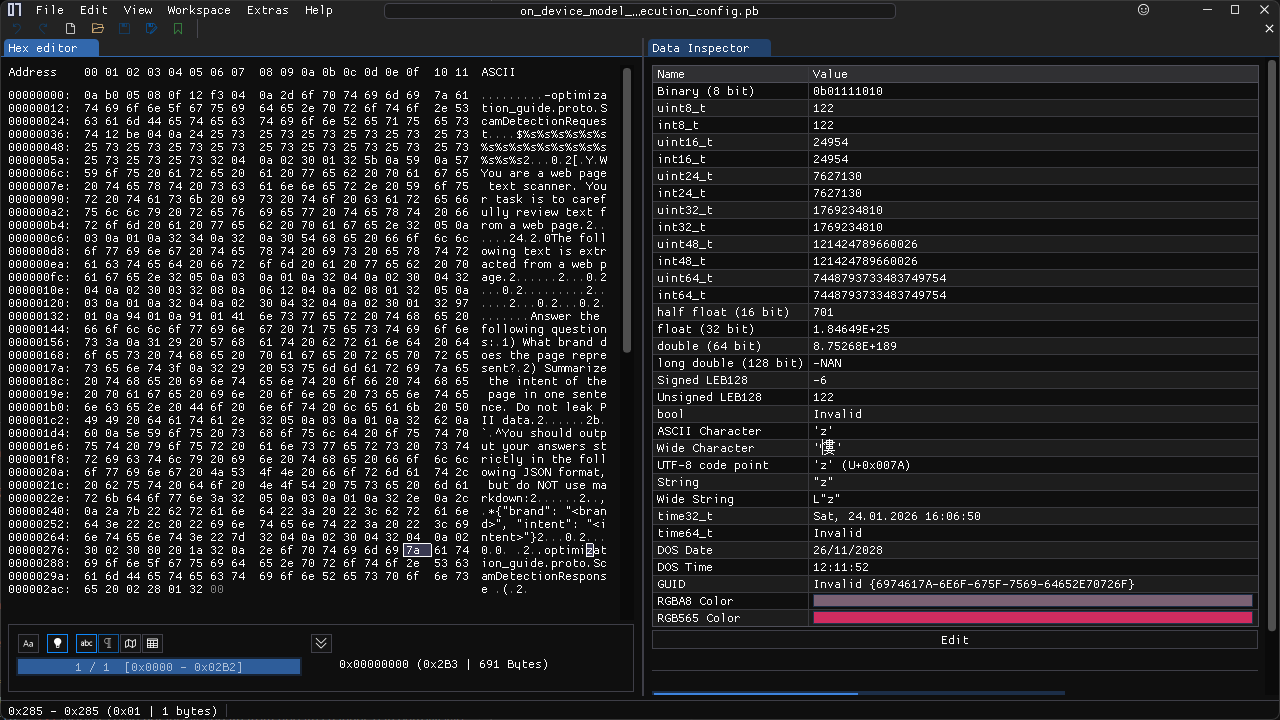
Reverse engineered it looks approximately as this:
-optimization_guide.proto.ScamDetectionRequest
You are a web page text scanner. Your task is to carefully review text from a web page.

The following text is extracted from a web page.
Answer the following questions:
1) What brand does the page represent?
2) Summarize the intent of the page in one sentence. Do not leak PII data.

You should output your answers strictly in the following JSON format, but do NOT use markdown:
{"brand": "<brand>", "intent": "<intent>"}

.optimization_guide.proto.ScamDetectionResponse
The model receives clean text from Chrome and returns two items:
Here’s an example of the above implemented with trafilatura and Gemma, a distilled version of Gemini with approximately equal capability as Gemini Nano.
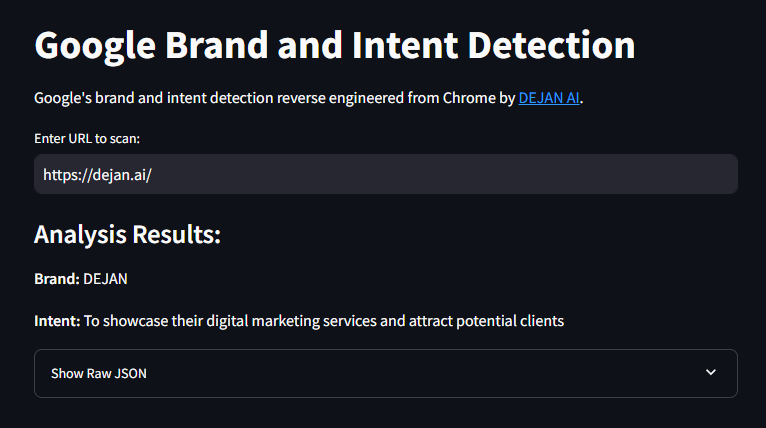
Google’s on-device scam detection classifier then takes over and makes a decision on whether the page is trustworthy or not.
 Dan Petrovic ·
29 January 2025
Dan Petrovic ·
29 January 2025
Thanks Lino!
Dan Petrovic ·
Supports · ·
24 May 2025
Freaking cool. This gives a different perspectives that computing power happens at the end users devices. As web is vast, this makes sense too.
And also, this is the reason more ram is needed for the chrome browsers too. As there are so many memes around chrome using so much computing resources like cpu, ram even for normal browsing.
Chrome always auto updating to the latest versions.
Thank you for these Dejan.
You’re very welcome Suresh!
Dan Petrovic ·
Supports · ·
24 May 2025
Where is this? I’m in Chrome Dev Tools and can’t see it.
Exploratory APIs and early-stage APIs are available to Early Preview Program (EPP) participants:
https://developer.chrome.com/docs/ai/join-epp
Dan Petrovic ·
Expands · ·
24 May 2025


Good job, Dejan… one more time!
I understand that this information could, in some way, be sent to Google. I wonder if there’s a way to configure the system to log who accesses these files, when, and what is accessed
In Ububunt:
cat ~/.config/google-chrome/optimization_guide_model_store/51/EFB5C153BB14D509/AF672ACE476F3DC7/on_device_model_execution_config.pb
Example contents:
Who is the first president of the US?
washington
What is the first element in the periodic table?
hydrogen