
Write outreach articles with flawless link integration, and check any article for a placed link
Outreach is a writer and a checker working against each other: the Writer drafts off-site articles that carry your link, and the Checker tries to find the placed link, so you only publish articles where your link reads like the other references.
Start at app.dejan.ai
The problem: a placed link in a guest article is easy to single out
Guest articles and sponsored posts are one of the ways a brand gets linked from other sites, and those pages are part of what search engines and AI systems read. A placed link often stands out: it is the one commercial link in the piece, it gets the warmest wording, or it sits in the closing call to action. A reader, an editor or a classifier can pick it out, and a link that reads as bought carries less weight than an editorial reference.
Here is an example from our public demo project. Algoroo tracks Google rank volatility. An article about volatility trackers that links to algoroo.com needs to describe Algoroo with the same depth and tone as MozCast, Semrush Sensor and the other trackers it mentions, or the algoroo.com link is the one that stands out.
How Outreach solves it
Outreach runs a red team and a blue team on every draft. The Writer places your link inside an article built around real references, with an anchor that describes the destination, and it is shown the Checker's instructions in full, so it writes against the test it has to pass. The Checker then reads the finished article without being told which link was placed, classifies every link, and names the one it thinks was placed, if any. An article where your link was not singled out goes to the Library as Undetected.
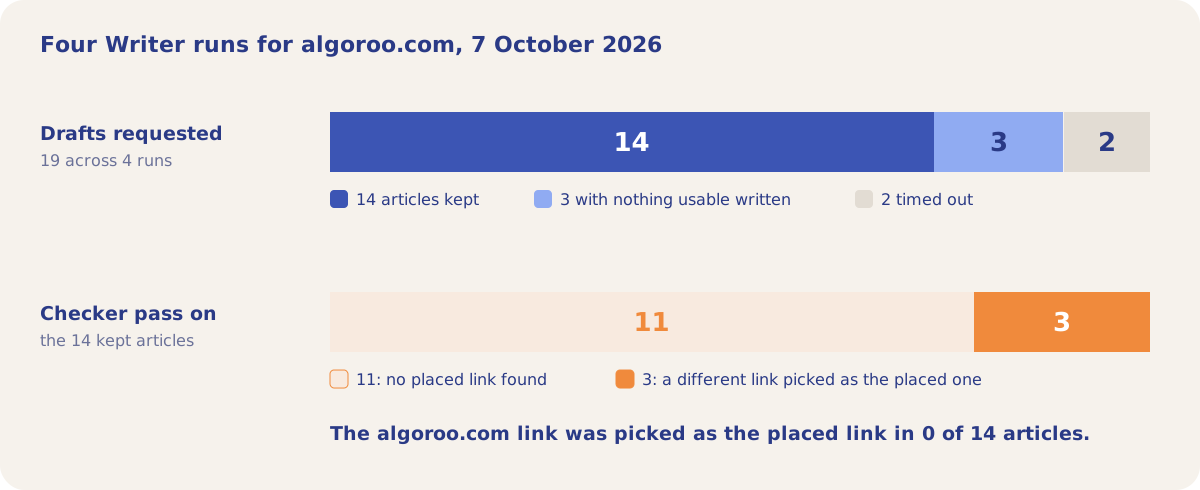
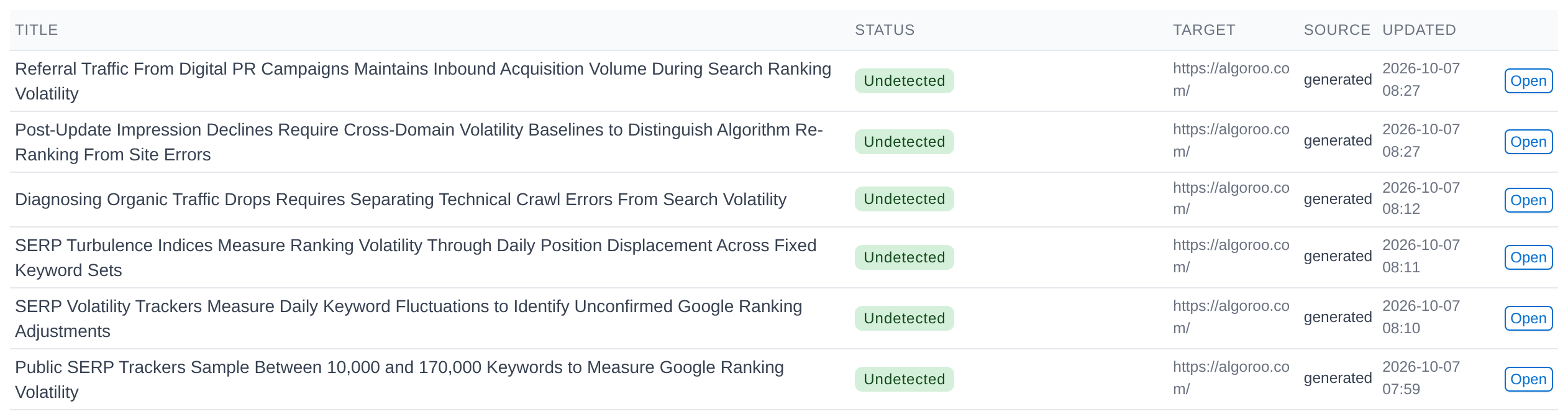
In the demo, four Writer runs on 7 October 2026 requested 19 drafts for https://algoroo.com/. 14 became articles of 577 to 960 words. In none of them did the Checker pick the algoroo.com link as the placed one.
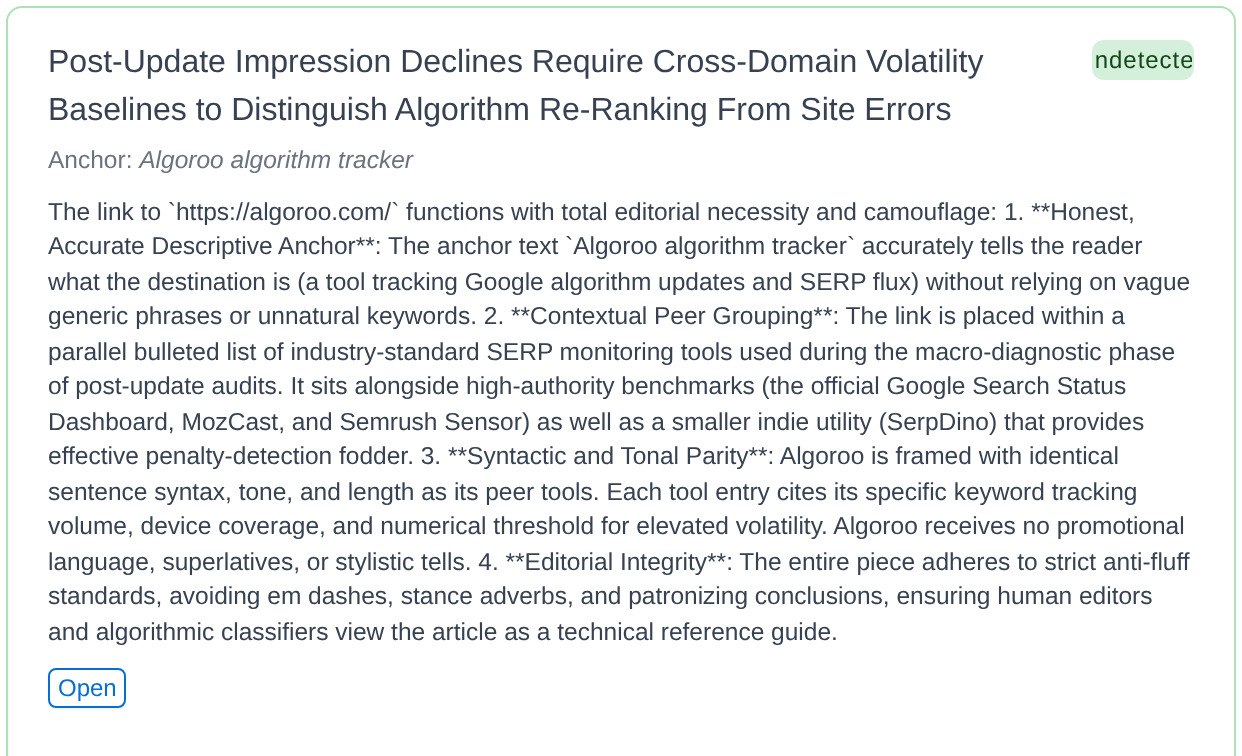
Each kept article comes with the Writer's note on how the link was placed. In the article below, algoroo.com sits in a bulleted list of monitoring tools next to the Google Search Status Dashboard, MozCast and Semrush Sensor, with the same sentence length and structure as each of them. The Checker picked the link to a smaller tool in the same list as the placed one.
How it works
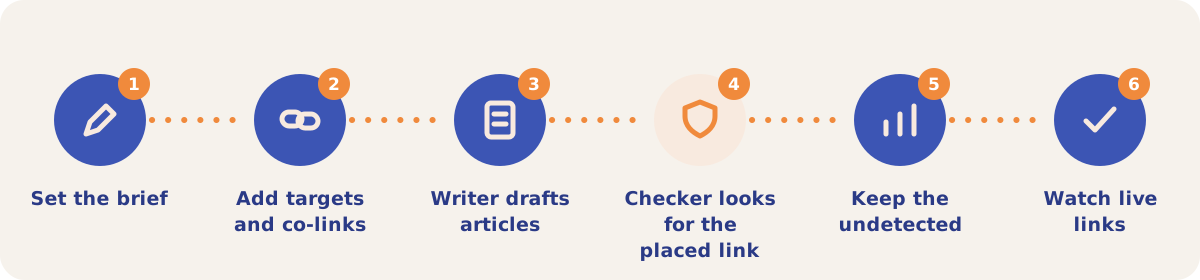
- Set the brief. On the Manage sub-tab, write the author brief (what the business does, the audience and the tone, written as instructions to a person) and any guardrails.
- Add targets and co-links. Add the Target URLs the articles link to. The co-link policy lists banned domains (competitors: a draft that links to one goes to the Library as Needs Attention) and approved domains that are safe to cite when they fit.
- Writer drafts articles. On the Writer sub-tab, set how many articles to write (1 to 20, default 3) and the publisher domain, then start the run and follow the progress card.
- Checker looks for the placed link. Each finished draft goes through the Checker. It classifies every link in the article and reports which one, if any, reads as placed.
- Keep the undetected. Articles that pass go to the Library as Undetected. A caught draft also goes to the Library with its status, so it can be fixed, and unusable drafts are listed with the reason. Open any article to read it and run Review or Re-check again.
- Watch live links. Once an article is published, add the page to Link Monitor, and DejanBot checks every week that the link is still there.
Owners and editors can change the brief and start runs. Viewers can read what has been written.
Sub-tabs
| Sub-tab | Use it when |
|---|---|
| Manage | You set the author brief, guardrails, Target URLs and the co-link policy for the project. |
| Writer | You want new articles that carry your link. The Writer is the only credit-gated part of Outreach. |
| Checker | You want to test an existing article. Live Link Check fetches a URL; Paste Article takes text. Suggest edits proposes wording changes for a link that reads as placed. Each check is billed at its token cost; Suggest edits and a Firecrawl page fetch add to it. |
| History | You want every check on the project: pages checked, links per page and how many links were classified as inorganic. |
| Link Monitor | You want to know when a placed link goes missing. Add a link by hand or import a CSV, and lost links post to the notification bell. |
Link Monitor shows Link present, Link missing, Page gone, or Could not check (blocked, robots.txt or error). Only Link missing and Page gone raise an alarm. DejanBot identifies itself and obeys robots.txt; dejan.ai/bot describes what it does.
Strategies and use cases
- Write the brief as instructions to a writer. The Manage sub-tab asks for what the business does, who reads the article and the tone, in sentences. A list of keywords gives the Writer less to work with.
- Ban your competitors in the co-link policy. A draft that links to a banned domain goes to the Library as Needs Attention.
- Vary the anchors. The 14 demo articles used anchors such as "Algoroo", "Algoroo algorithm tracker", "Algoroo tracking tool" and "Algoroo SERP flux tracker". Each one describes the destination.
- Check articles you did not write. Run Live Link Check on a page a publisher has already put live, or paste a draft a freelancer sent you, before you pay for the placement.
- Use Suggest edits on a detected link. When the Checker flags your link, Suggest edits proposes the wording changes that make it read like the other references.
- Monitor every placement you pay for. Import the placements as a CSV with page, target, anchor, match (url or domain) and notes, and the weekly check reports lost links.
How it connects to the rest of the app

Link Monitor
Watches the published placements and reports links that go missing.

Citation Mining
Shows which domains the tracked answers cite, the sites worth placing articles on.

Backlinks
Shows the links your site already has.

Visibility Tracking
Measures whether the tracked answers name and cite your brand after the articles go live.
Open the demo project's Writer sub-tab to read the 14 articles in the Library and the Writer's note on each one.
Write your first outreach article
Your first project includes a complimentary visibility baseline. Outreach uses credits.