
Write citation prompts in bulk from your project
The Prompt Generator writes 10 to 100 citation prompts at a time from your project context, a page, a query, an entity or an industry, so you can test AI answers across the questions you choose to test without writing each prompt by hand.
Start at app.dejan.ai
The problem: measuring AI answers takes hundreds of prompts
To test which brands and pages AI answers cite for your market, you have to ask many questions from many angles. Writing those prompts by hand is slow, and hand-written prompts often contain the brand name. A prompt that names your brand returns an answer about your brand, so it cannot show whether AI systems recommend you when the question does not name you.
Here is an example from our public demo project. Algoroo tracks Google rank volatility, and its prompt library holds 272 citation prompts. None of them were typed in by hand.
How the Prompt Generator solves it
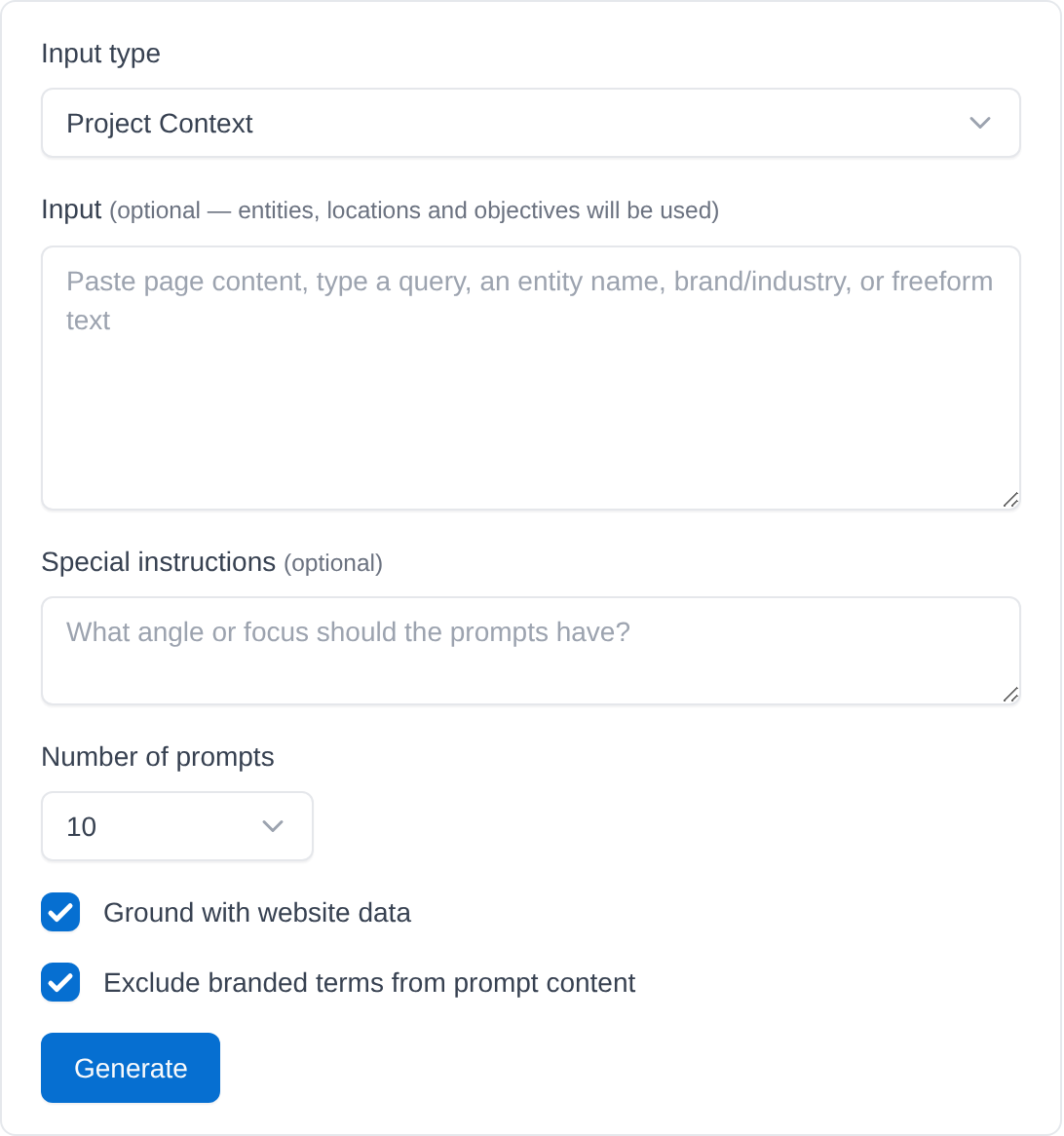
You give the Prompt Generator an input and an input type, and a Google model writes 10, 20, 50 or 100 prompts in one call. Each prompt is written to work on its own, and the default angle is a buyer or researcher looking for products or services related to the input. Special instructions change that angle.
Two options are ticked by default. Ground with website data gives the model your site's URL to consult while it writes. Exclude branded terms from prompt content asks the model to leave your owned brand names out of the prompts, so check the results before you save; in the demo those are Algoroo, Algoroo SERP Flux Metric and Algoroo Google Algorithm Tracking Tool.
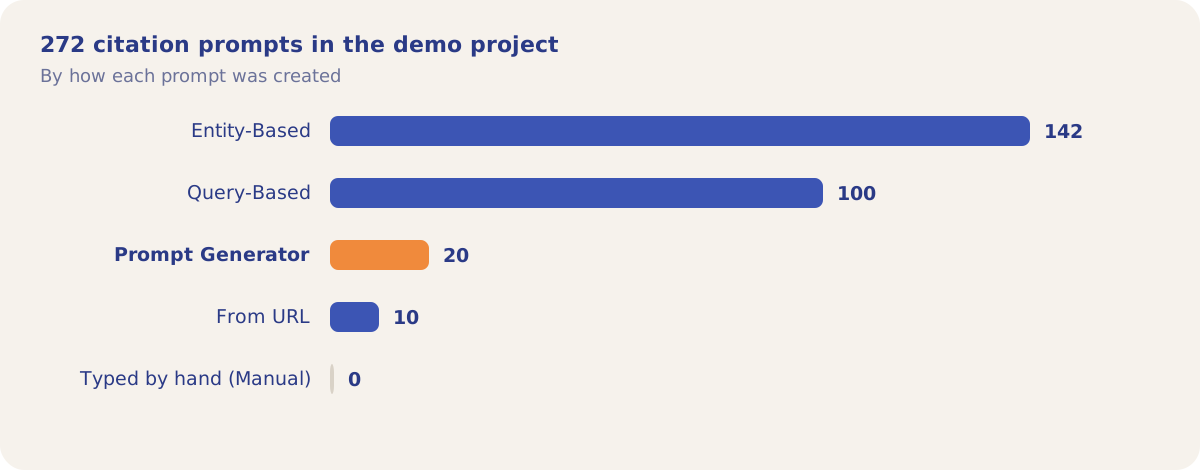
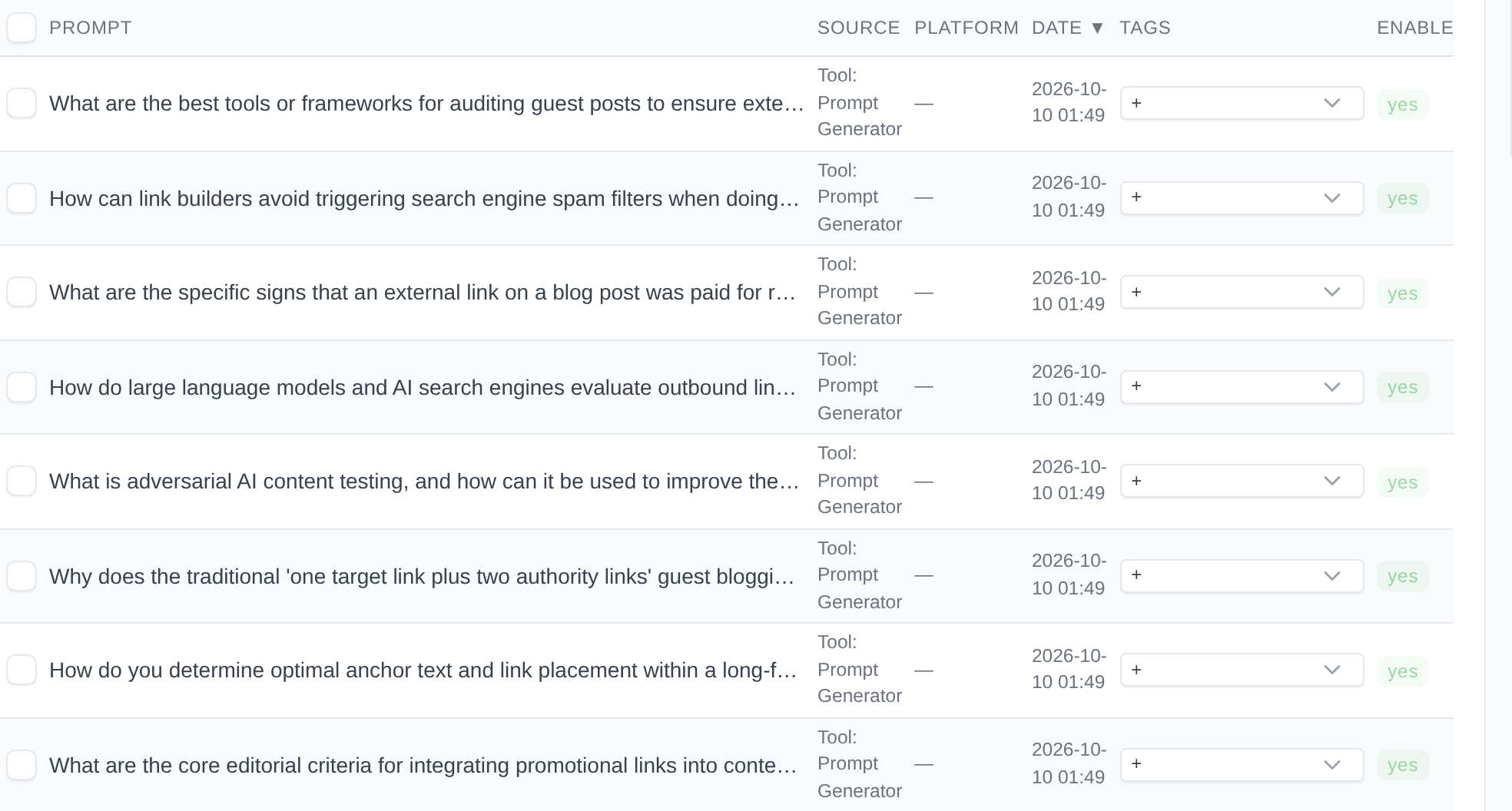
The demo project's 20 Prompt Generator prompts were saved on 10 October 2026. They cover link placement and paid-link detection: 19 of the 20 contain the word "link" and none contain Algoroo or DEJAN. Two examples:
- "What are the specific signs that an external link on a blog post was paid for rather than earned organically?"
- "What metrics should I look at instead of Domain Authority to evaluate whether a link-building placement looks genuine?"
How it works
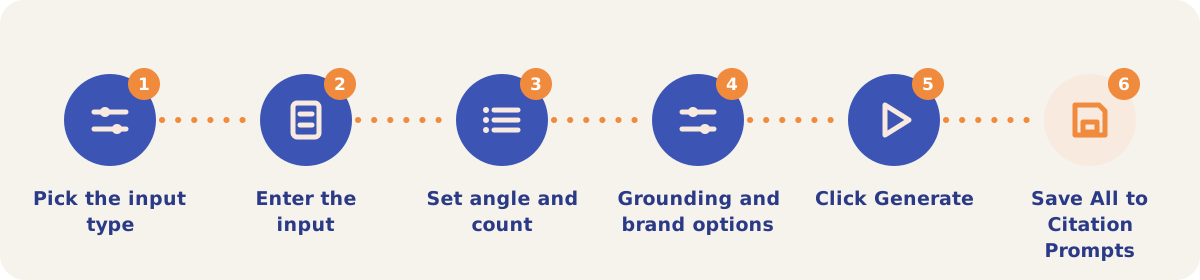
- Pick the input type. Open the Prompt Generator from the Tools menu and choose Project Context, Page content, Search query, Entity, Brand industry or Other.
- Enter the input. For Project Context it is optional, because your entities, locations and objectives are used. For every other type it is required.
- Set the angle and the count. Special instructions (optional) set the focus of the prompts. Number of prompts is 10, 20, 50 or 100, with 10 selected when the form opens.
- Choose the options. Leave Ground with website data and Exclude branded terms from prompt content ticked, or untick them.
- Click Generate. The prompts appear as cards on the right with a count above them.
- Keep the ones you want. Copy one prompt, Copy all, or click Save All to add them to your Citation Prompts. Prompts that are not saved are gone when you leave the page.
Input types
| Input type | What you enter |
|---|---|
| Project Context | Nothing, or extra context. The project's entities, locations and objectives are used. |
| Page content | The text of a web page. |
| Search query | A search query. |
| Entity | The name of a person, place, organization, product or concept. |
| Brand industry | A brand, an industry, or both. |
| Other | Any free text. |
On a pay-as-you-go project each generation is billed from the credit balance under Prompt Generator.
Strategies and use cases
- Start from Project Context. With the Input box empty, the prompts are built from your entities, locations and objectives, so they match what you already track.
- Keep brand names out for discovery. Unbranded prompts test whether the answers recommend you when the question does not name your brand. Untick the option only when you want to test branded questions.
- Set one angle per batch. Use Special instructions for comparison questions, beginner questions or a single topic. The demo batch kept to one topic, link placement, across all 20 prompts.
- Fill gaps entity by entity. Use the Entity input type for entities that have few prompts in your library.
- Paste a page to get the questions it should answer. Page content as input returns prompts you can mine to see whether that page is cited for them.
- Save, then schedule. Saved prompts can go into a Prompt Set in Citation Mining and run daily, weekly or monthly.
How it connects to the rest of the app

Citation Mining
Runs your saved prompts on AI platforms and records the domains and brands they cite.

Visibility Tracking
Runs fixed test prompts for your entities, the same entities Project Context uses.

Prompt to Query
Turns long AI prompts into the short queries search systems use, and back.

Grounding Inspector
Shows the sources behind the answer to any one prompt.
Open the demo project's Prompt Generator prompts in Settings, Prompts, or the Prompt Generator form itself.
Build your prompt library
Your first project includes a complimentary visibility baseline. The Prompt Generator uses credits.