
Reduce any page to five summaries, from a paragraph down to one word
The Semantic Compressor writes five summaries of a page or a text, each shorter than the last, as a proxy for what survives when an AI answer shortens your page.
Start at app.dejan.ai
The problem: AI answers reduce your page to a sentence, and you do not see which one
An AI search answer often uses only a sentence or a phrase from each page it draws on. Whatever your page was meant to be about, the answer carries only what survives that reduction. If the main point of the page is spread across several sections, the short version can name a different topic from the one you wrote the page for.
You cannot read that reduction in any analytics tool, and reading your own page does not show it, because you already know what you meant.
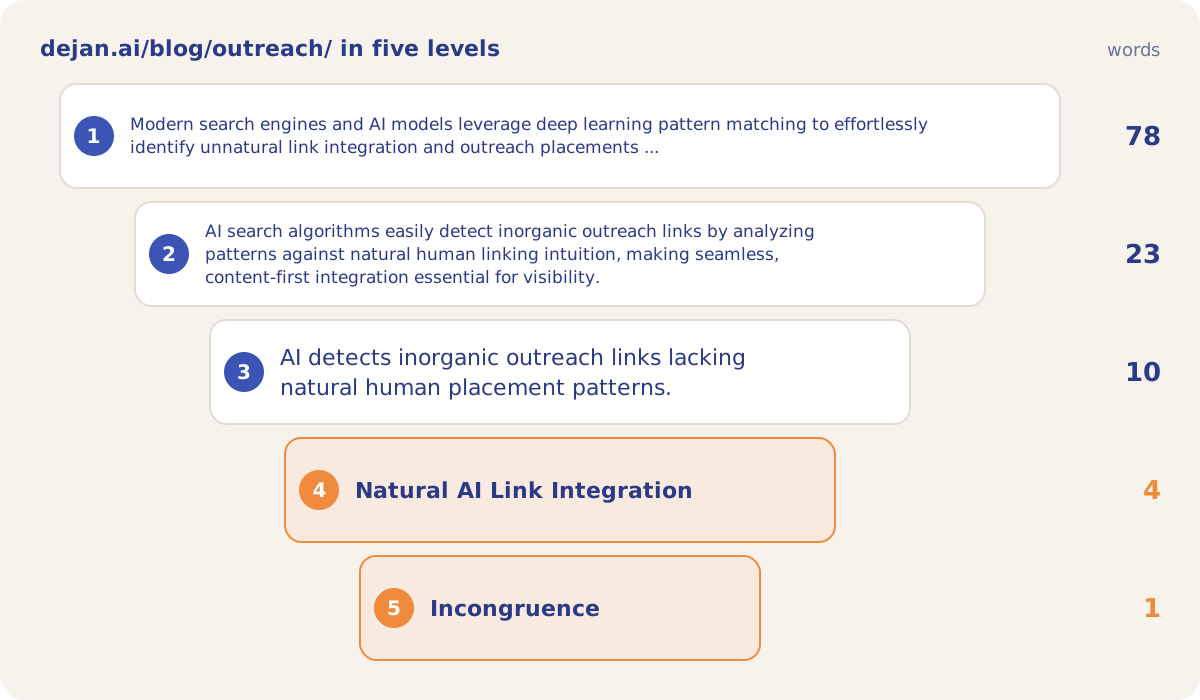
Here is an example from our public demo project. The page dejan.ai/blog/outreach/ is titled "Link Building & Outreach for AI Search". At Compression Level 3 the summary still uses the word "outreach". At Level 4 the page reduces to "Natural AI Link Integration", and at Level 5 to "Incongruence".
How the Semantic Compressor solves it
The Semantic Compressor approximates that reduction with one Google model. You give it a page address or a block of text, and Google reads it and writes five summaries. Compression Level 1 is a paragraph, and each level after it is shorter, down to Compression Level 5, which is a single word. Each summary shows its word count and character count, so you can see where the page loses detail and what stays.
The demo project ran the tool on dejan.ai/blog/outreach/ on 10 October 2026. The five summaries came to 78, 23, 10, 4 and 1 words.
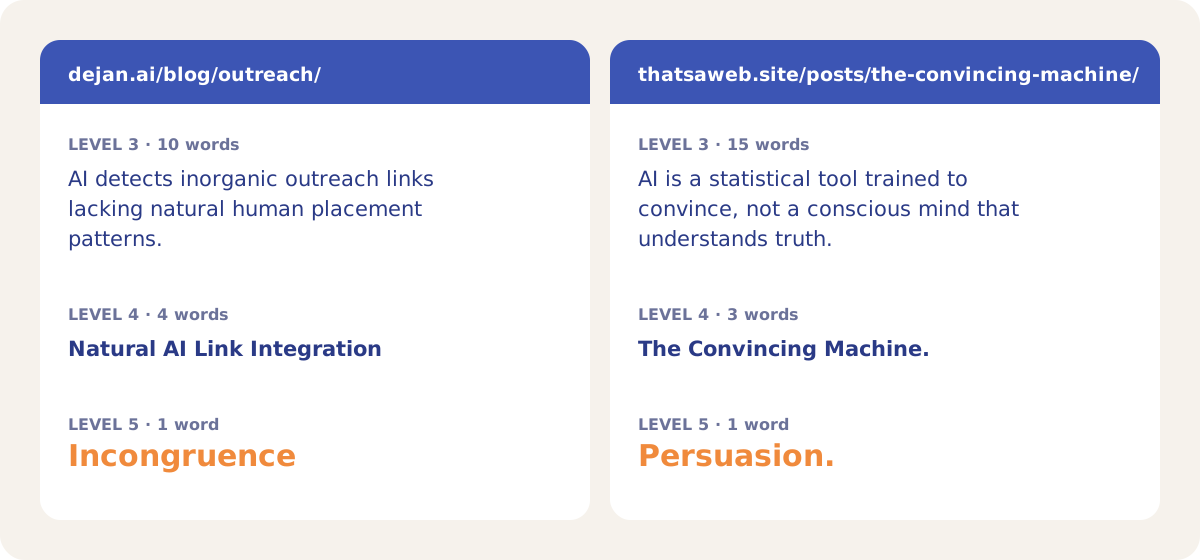
The short levels are the easiest to compare across pages. On 12 October 2026 the demo project ran a second page, thatsaweb.site/posts/the-convincing-machine/. Its Level 4 summary, "The Convincing Machine.", is the title of the post, and its Level 5 word is "Persuasion.".
How it works
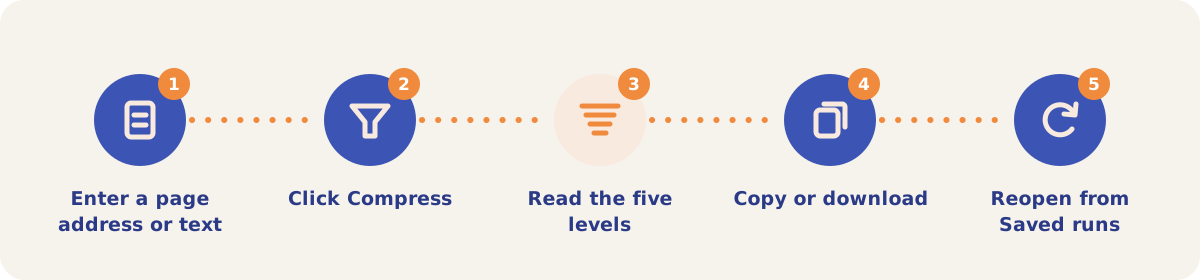
- Enter a page address or text. Open Semantic Compressor from the Tools menu. On the Page address pill, enter a public URL; Google reads the page, so it must be publicly reachable. On the Paste text pill, paste up to 100,000 characters, for example a draft that is not published yet.
- Click Compress. The button reads "Reading the page…" while Google fetches the address. If Google could not retrieve the page, a warning says the summaries were not written from the page content.
- Read the five levels. Compression Level 1 is a paragraph and Compression Level 5 is a single word. Each level shows its word count and character count.
- Copy or download. Each summary has a Copy button. Copy all copies every level, and Download JSON saves the run as a file.
- Reopen from Saved runs. Every run is saved to the project in the Saved runs list on the right, with the date and the person who ran it. Opening a saved run costs nothing.
Inputs and billing
| Setting | What it does |
|---|---|
| Page address | Google fetches the public URL and summarises the page. The page content is counted in the tokens billed for the run. |
| Paste text | Summarises the pasted text, up to 100,000 characters. Use it for drafts, sections of a page, or pages that block readers. |
| Saved runs | Lists the project's runs, newest first, for everyone on the project. Reopening a run costs nothing. |
| Billing | Each run is charged to the project's credits. A project with its own Google key pays Google directly. |
Strategies and use cases
- Compare Level 4 with your target topic. Put the four-word summary next to the query you want the page to be cited for. In the demo, the page titled "Link Building & Outreach for AI Search" has the Level 4 summary "Natural AI Link Integration".
- Compress before and after an edit. Paste the draft into Paste text, then compress the live page after you publish. Compare the two runs in Saved runs, level by level.
- Compress a competing page. Run the page that AI answers cite for your topic and compare its short levels with yours. In the demo, the second page's Level 4 summary is its own title.
- Compress one section at a time. Paste each section of a long page separately to find the section whose summary drifts from the page topic.
- Use the short levels as copy candidates. Level 2 runs to one sentence (23 words for the demo page) and Level 4 to a phrase, which you can test as a meta description or a title.
How it connects to the rest of the app

Page Focus
Lists the topics Google, OpenAI and Anthropic each find in a page, with a centrality score for each.

Content Optimizer
Tests edits to a page against an AI ranker once you know what the page is about.

Link Integration
Finds the paid links on a page and the places a new link would look natural.

Outreach
Writes off-site guest articles and checks each one with an AI detector that looks for the placed link.
The Semantic Compressor needs a sign-in. Open the demo project to see the Algoroo data the other tools work from, then sign in to compress your own pages.
Compress your first page
Your first project includes a complimentary visibility baseline. The Semantic Compressor uses credits.