
See which lines of your page Google matches for each query
Page Grounding has a Google model, searching for each query with your URL, mark the lines of your page that match each of up to 10 queries, so you can see which parts of the page Google's AI search matches and which parts it skips.
Start at app.dejan.ai
The problem: an AI answer can describe your brand without using your page
AI search systems answer from passages. A page helps an answer only where one of its lines matches the question, and a page can rank for a query while none of its lines answer it. Rank trackers report the page, not the line, so they cannot show which part of the page does the work.
Here is an example from our public demo project. Algoroo tracks Google rank volatility. In the demo's Grounding Inspector run, Google's answer for "SERP flux measurement tool" names Algoroo as one of eight tools. The line about Algoroo cites two of the demo project's own answer pages on app.dejan.ai, and none of the 6 sources behind the answer is on algoroo.com.
How Page Grounding solves it
Page Grounding works on one page at a time. It fetches the page (or takes text you paste), splits it into numbered lines, and sends one grounded request per query to a Google model, with your URL added to the search. For each query, the AI lists the lines that match what Google returned for your page, or none if your page was not a source. The app then scores every line by how many queries matched it and colours the page as a heatmap.
The demo project has no saved Page Grounding run, so the diagrams below show the source gap from the demo and the scoring method.
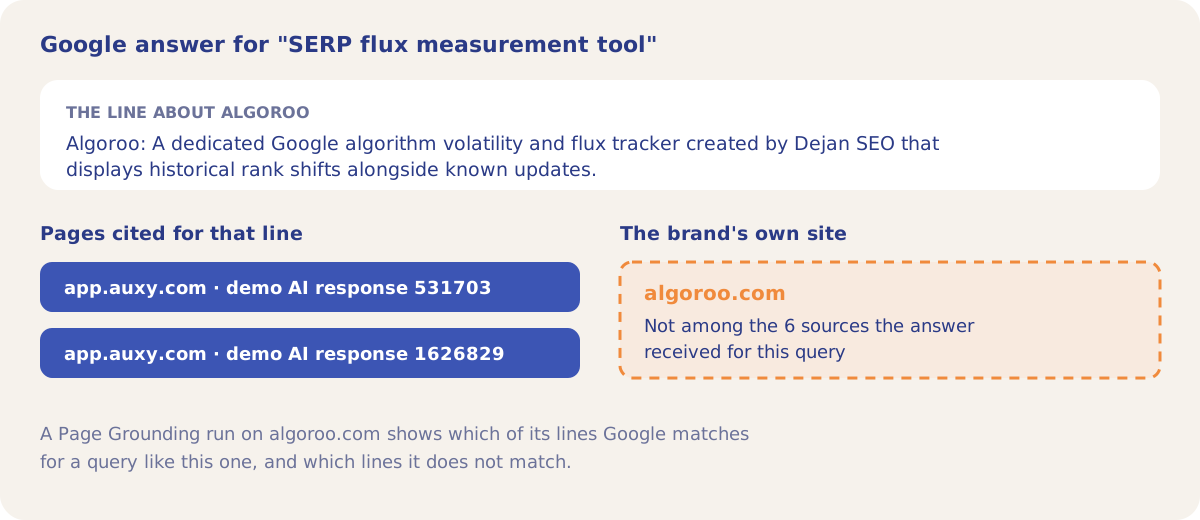
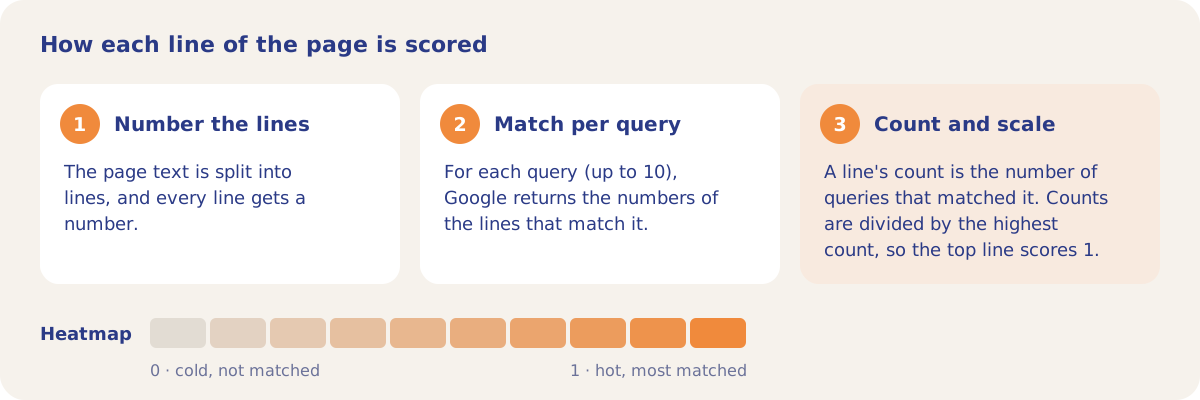
The result has two parts. The Grounding Heatmap shows the page line by line: hot lines were matched, cold lines were not, and coloured dots show which queries matched each line. Query Stats lists every query with its matched lines, tokens and latency, so a query that matched nothing stands out.
How it works
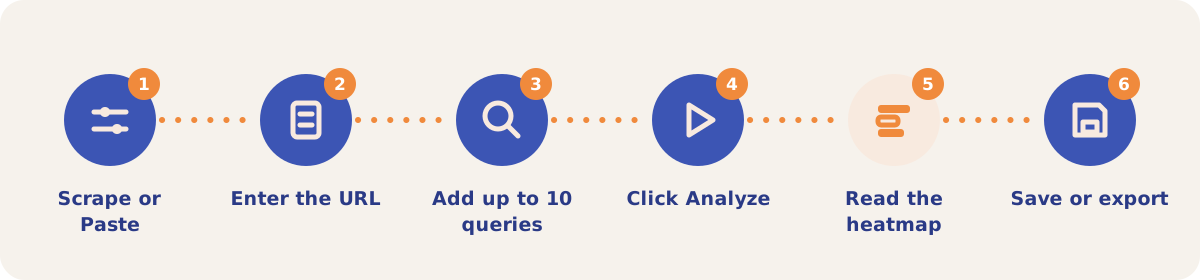
- Pick Scrape Content or Paste Content. Open Page Grounding from the Tools menu. Scrape Content fetches the URL; Paste Content takes markdown or plain text you paste.
- Enter the URL. In Paste mode the URL is still required, because it is added to the search. It is not fetched.
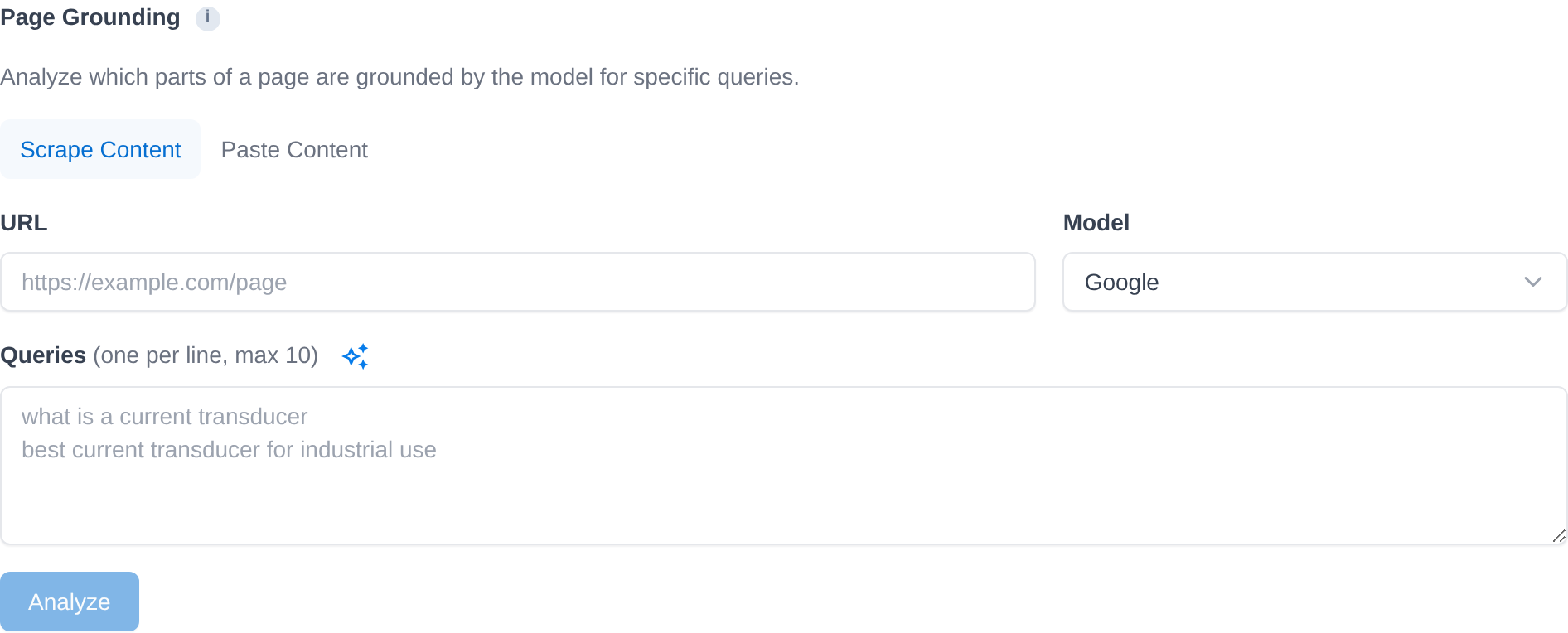
- Add up to 10 queries. Enter one per line, or click the sparkle icon to have the app suggest 10 queries for the page.
- Click Analyze. The queries run in parallel, one grounded request each.
- Read the heatmap. Check which lines are hot, which queries matched them, and which queries matched no line at all.
- Save or export. Click Save Result to keep the run under Saved Runs. Export a run as CSV, HTML or PDF, or use Export all runs (CSV) for every saved run in the project.
Modes and settings
| Setting | Options |
|---|---|
| Source | Scrape Content (the app fetches the URL) or Paste Content (your text; useful for a page that blocks scraping). |
| Model | Google. |
| Queries | 1 to 10, one per line. |
| Score | 0 to 1 per line. The most-matched line scores 1. |
On a pay-as-you-go project a run is billed from the credit balance under Page Grounding: one grounded request per query, plus the page fetch in Scrape mode.
Strategies and use cases
- Check a page against the queries it should win. For algoroo.com, run the homepage against queries such as "SERP flux measurement tool" and see whether any line matches.
- Find the queries with no matching line. In Query Stats, a query with 0 matched lines points to content the page does not have.
- Find dead sections. Lines that stay cold across all 10 queries are not used for any of them.
- Start from suggested queries. The sparkle icon gives 10 queries where the page could appear, which is a quick first set to edit.
How it connects to the rest of the app

Grounding Inspector
Shows which sources an AI answer received and cited for one query.

Content Optimizer
Tests edits to a page until an AI ranker places it first.

Page Focus
Shows the topics Google, OpenAI and Anthropic each see in one page.

Organic Search
Lists the Search Console queries a page already ranks for.

Veracity
Checks how faithfully an AI answer reproduces the pages it cites.
Open the Page Grounding form in the demo project to see the inputs. Running it needs your own project.
Ground-test your first page
Your first project includes a complimentary visibility baseline. Page Grounding uses credits.