
Report AI visibility results
Six features log every change, mark it on the trend line and deliver the same numbers as a report, slides, read-only access and data for AI assistants.
Start at app.dejan.ai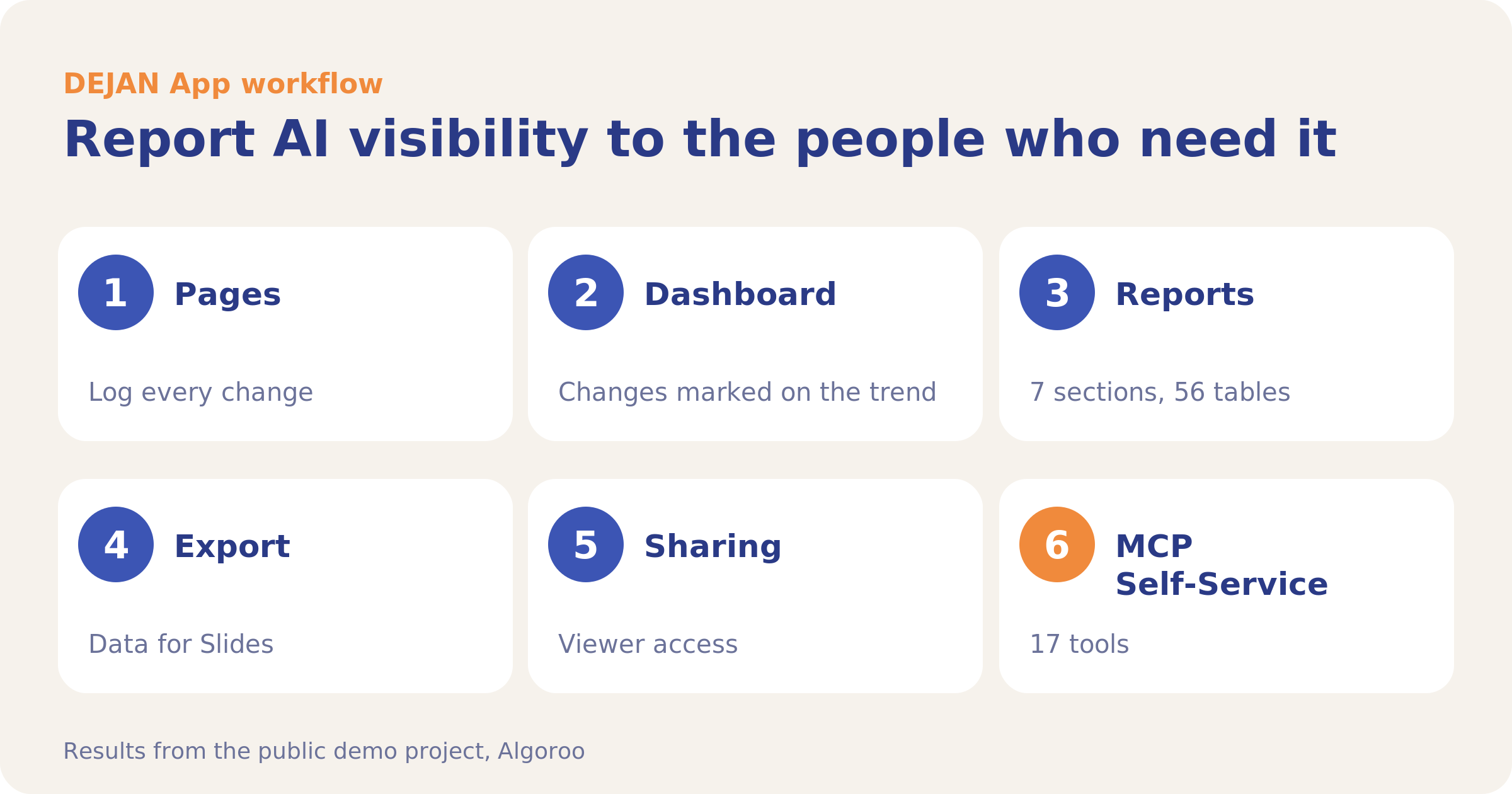
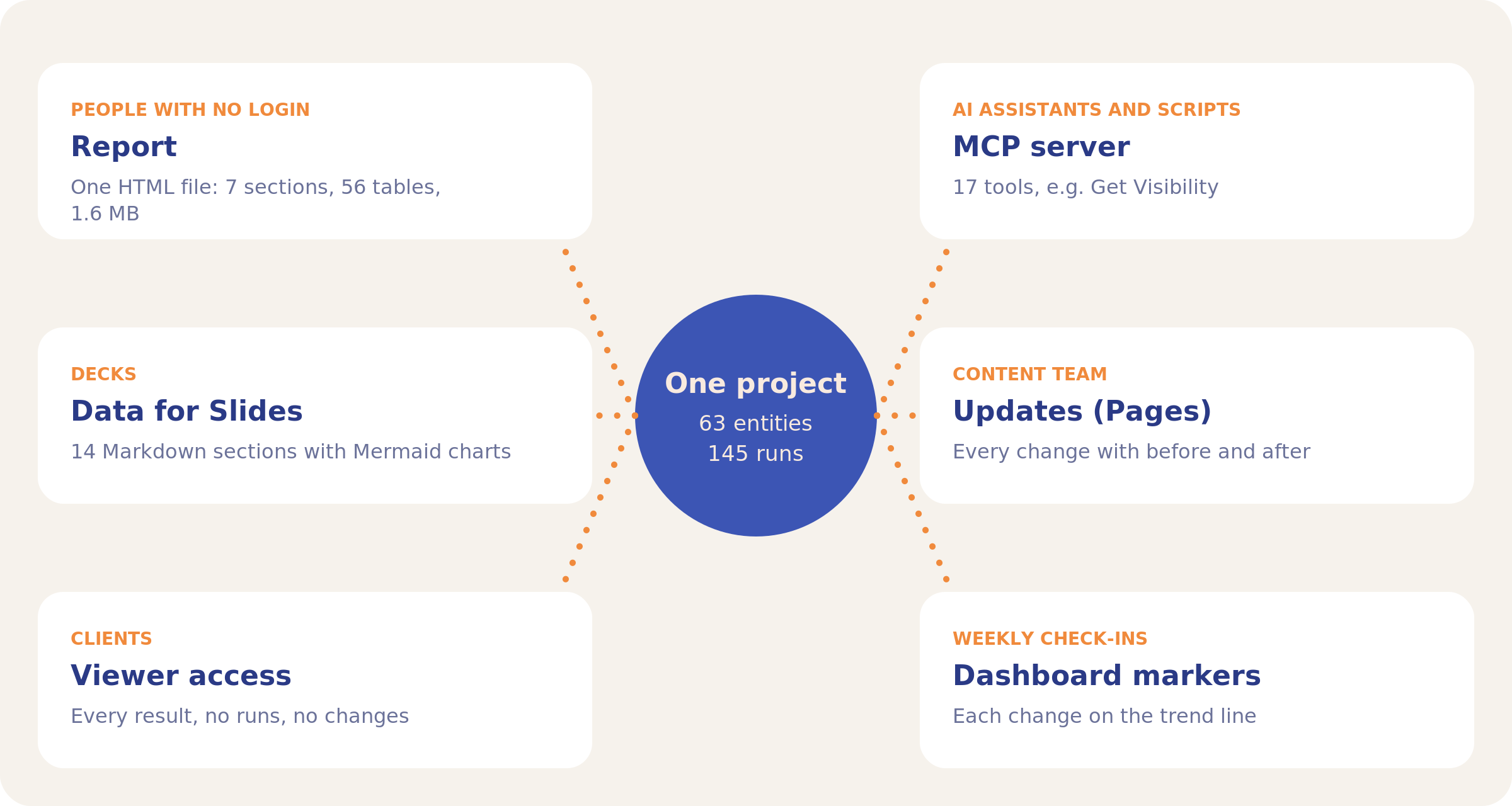
A report is only as clear as its record of changes. The demo project logs each change on the Pages tab, so the Dashboard trend shows a marker on 10 October 2026, the day the homepage edit went live. The same project exports as a 1.6 MB HTML report with 7 sections and 56 tables, as a ZIP of Markdown files for slides, one per section (14) plus a combined file, and through an MCP server with 17 tools.
The workflow at a glance
| Step | Tool | Question it answers | Demo result |
|---|---|---|---|
| 1 | Pages | What changed, and when? | Every change with before and after |
| 2 | Dashboard | Did the trend move after a change? | Markers on the Visibility Trend |
| 3 | Reports | What can I send to someone with no login? | 7 sections, 56 tables, 1.6 MB |
| 4 | Export | What goes into a deck? | Data for Slides: 14 Markdown sections |
| 5 | Sharing | How does a client see live results? | Viewer: every result, no runs |
| 6 | MCP Self-Service | How do assistants and scripts get the numbers? | 17 tools |
1. Pages: log every change
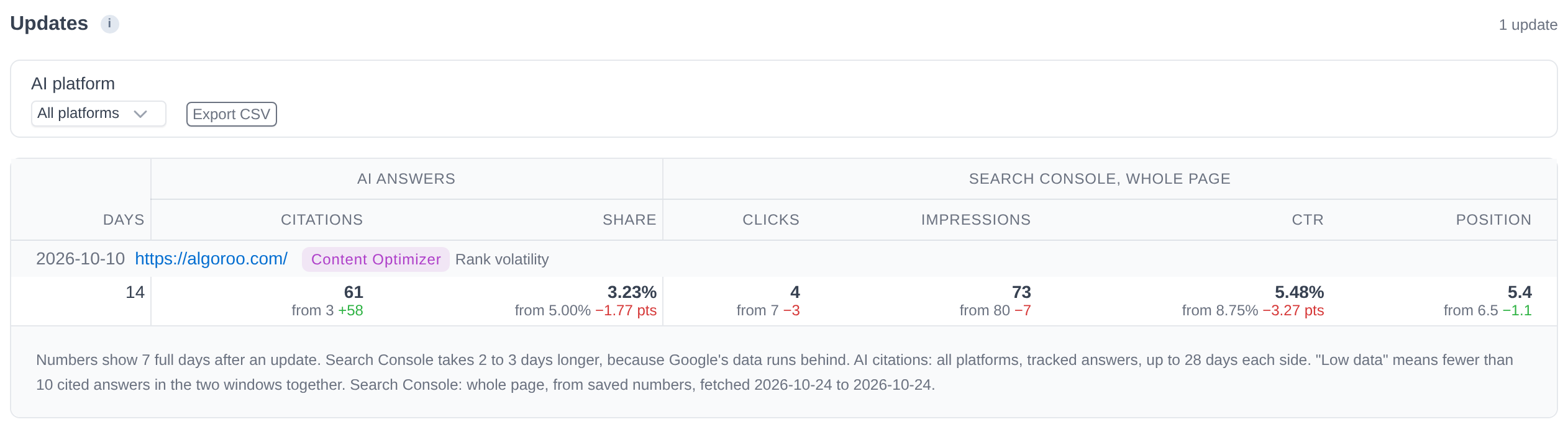
Click Log an optimization on a page view, or mark a Content Optimizer run Implemented. The Updates sub-tab then lists every change on the project, newest first, with the tracked answers per platform and the Search Console figures before and after. Export CSV gives one row per update.
2. Dashboard: read the trend against the markers
Each logged change appears as a purple marker on the Visibility Trend, so a rise or fall can be read against the date of the work. The KPI cards show Share of Voice, Mention Share and Citation Share, each with its change over 7 days.

3. Reports: one file for people with no login
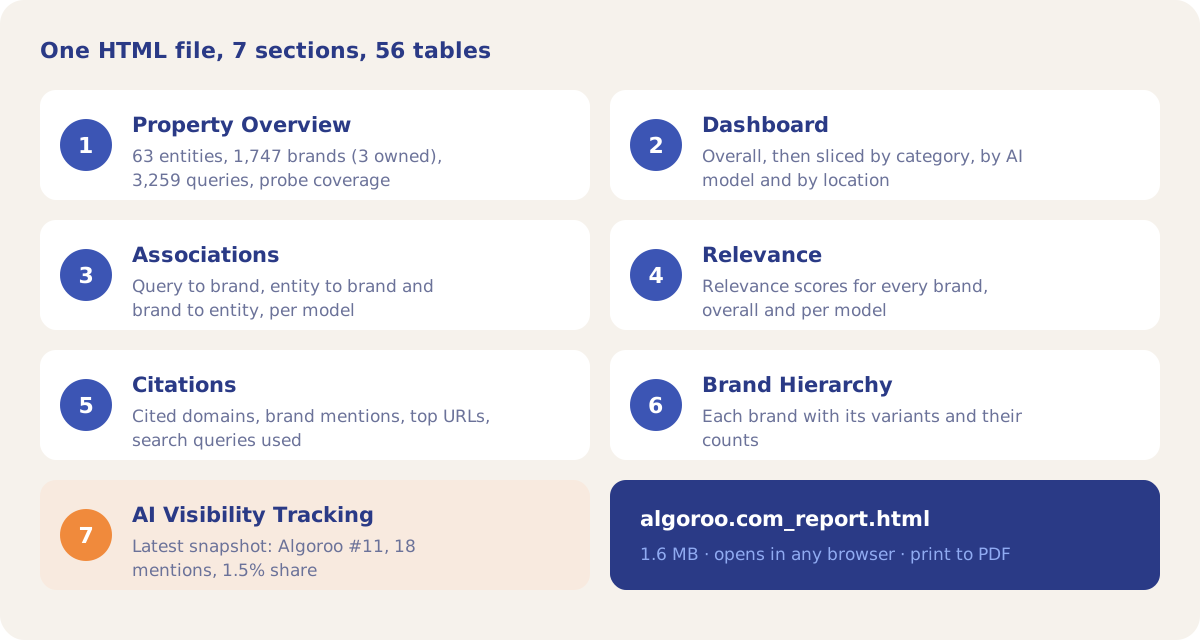
The Report tab builds one HTML file with all metrics across categories, locations and platforms. It reads stored results and makes no AI calls. The demo report of 27 October 2026 has 7 sections and 56 tables and opens in any browser; the print dialog saves it as a PDF.
4. Export: data for slides and spreadsheets
The Export page groups CSV downloads by area: Associations, Citations, Relevance, Tracking and Visibility, Run Log, Configuration and Module Outputs. Data for Slides downloads a ZIP with one Markdown file per section, 14 in all, with charts as Mermaid blocks and a file that flags which sections had data.
5. Sharing: give clients read-only access
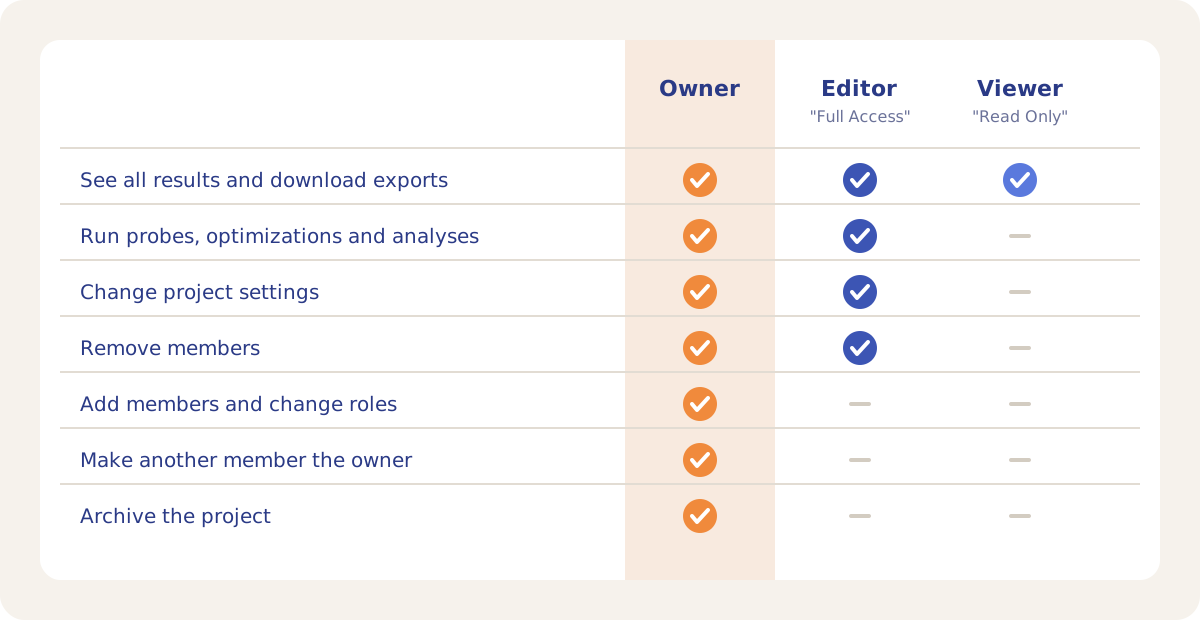
Add a client on the Members sub-tab with Read Only. A Viewer sees every result and export and cannot start runs or change settings, the same view a signed-out visitor gets on the demo project. The Sharing page in the account menu gives your own team Editor access to every project you own.
6. MCP Self-Service: numbers for assistants and scripts
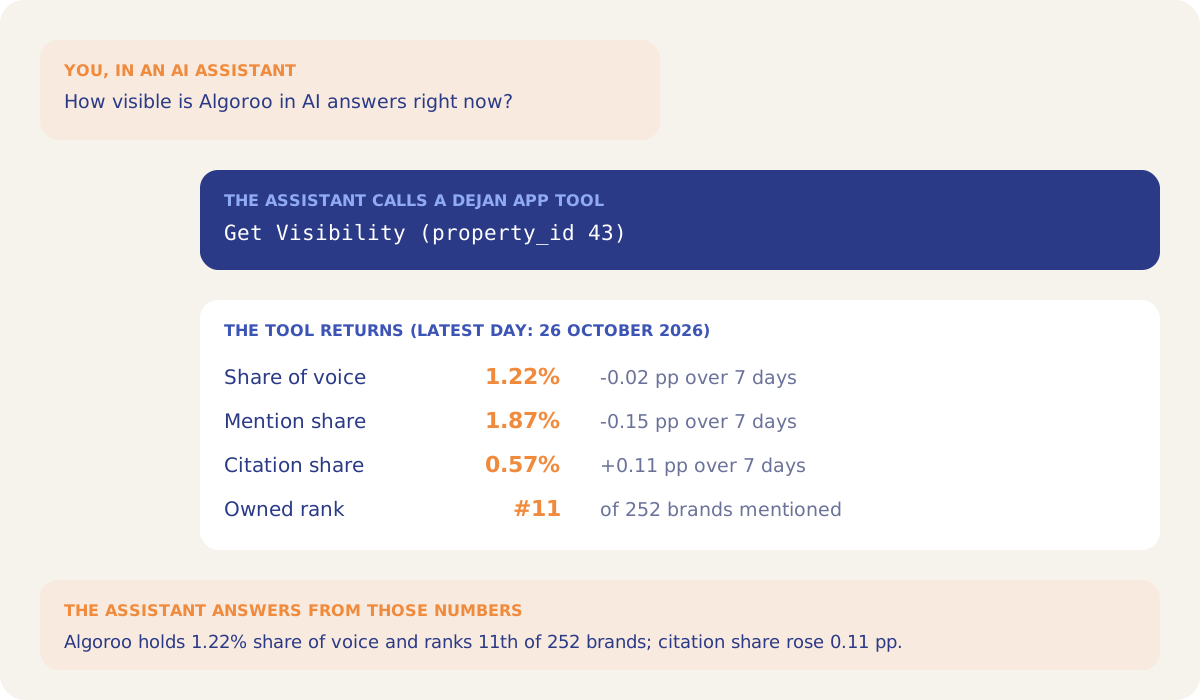
Connect an MCP client to https://mcp.dejan.ai/mcp and sign in with Google. Sixteen of the 17 tools are read-only; Get Visibility returns the Dashboard headline with 7-day changes and the top 10 brands, and List Optimizer Runs returns finished runs for a ticketing sync. Every tool that reads a project checks project membership.
Where this workflow leads
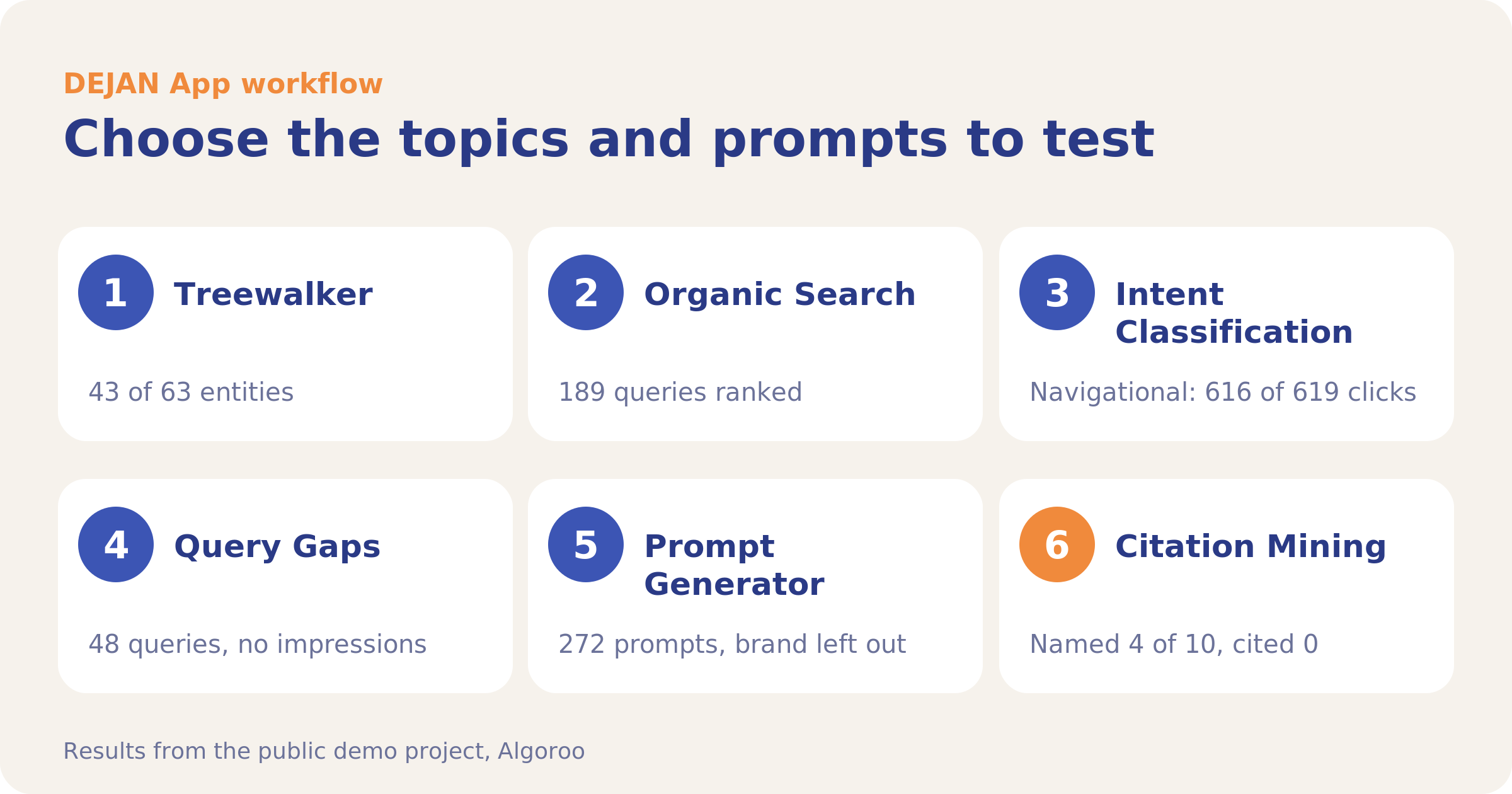
Choose the topics and prompts to test
Build the test set from your site and search data.
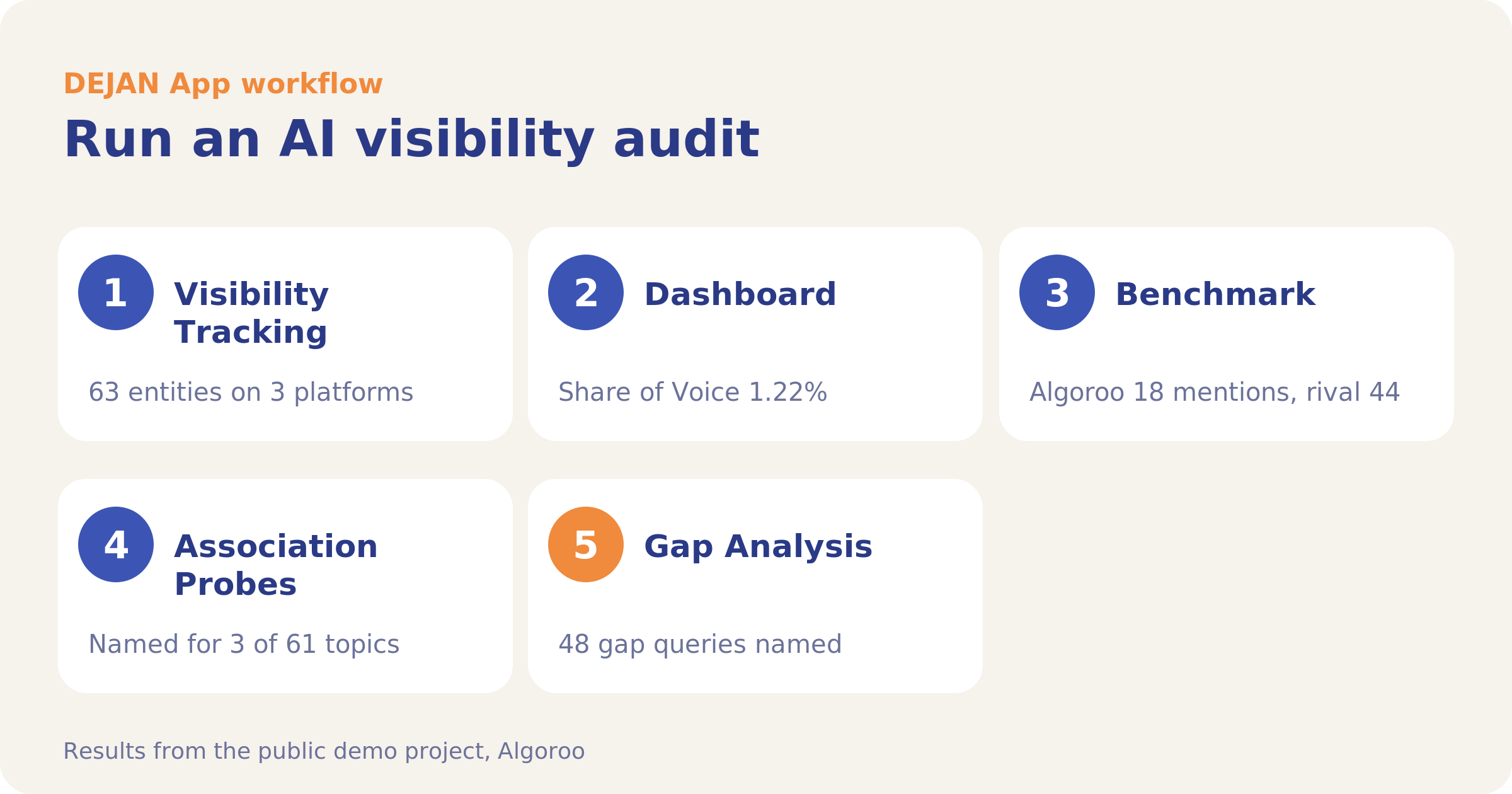
Run an AI visibility audit
Find where AI answers name and cite your competitors and not you.
Start your first project
Your first project includes a complimentary baseline run. No card required.