
Cross-check your AI visibility against your search traffic in one report
Gap Analysis puts your objectives, tracked AI answer data and Search Console data into one pack for an AI model, so the places where your tracked answers and organic search disagree about your brand show up in a single report.
Start at app.dejan.ai
The problem: your AI data and your search data sit in different tabs
An AI visibility project collects data from many places: which brands the tracked answers name for your topics, which pages they cite, what models recall about you without a search, and what Google Search Console reports for clicks. Each source has its own tab. A gap between two of them, for example a topic where the tracked answers name you first but Search Console shows no clicks to your site, only appears when someone reads both tabs side by side.
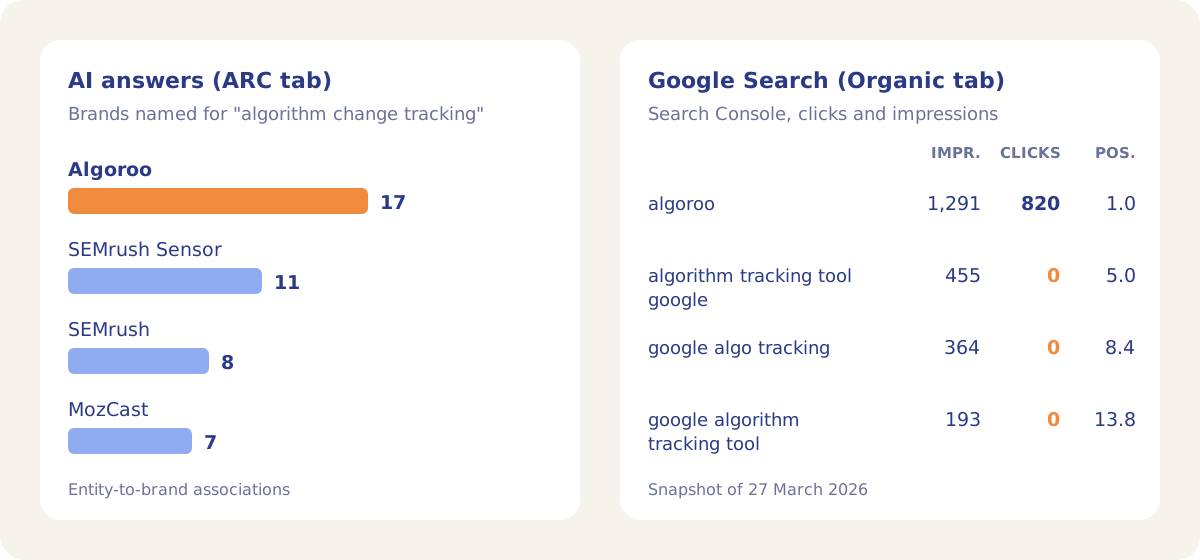
Here is an example from our public demo project. Algoroo tracks Google rank volatility. On the ARC tab, the probe answers for the entity "Algorithm Change Tracking" name Algoroo 17 times, ahead of SEMrush Sensor with 11, and SEMrush and AccuRanker with 8 each. In the Search Console data the analysis read (fetched 27 March 2026), the query "algorithm tracking tool google" had 455 impressions at an average position of 5.0 and 0 clicks. The brand query "algoroo" had 820 clicks from 1,291 impressions.
How Gap Analysis solves it
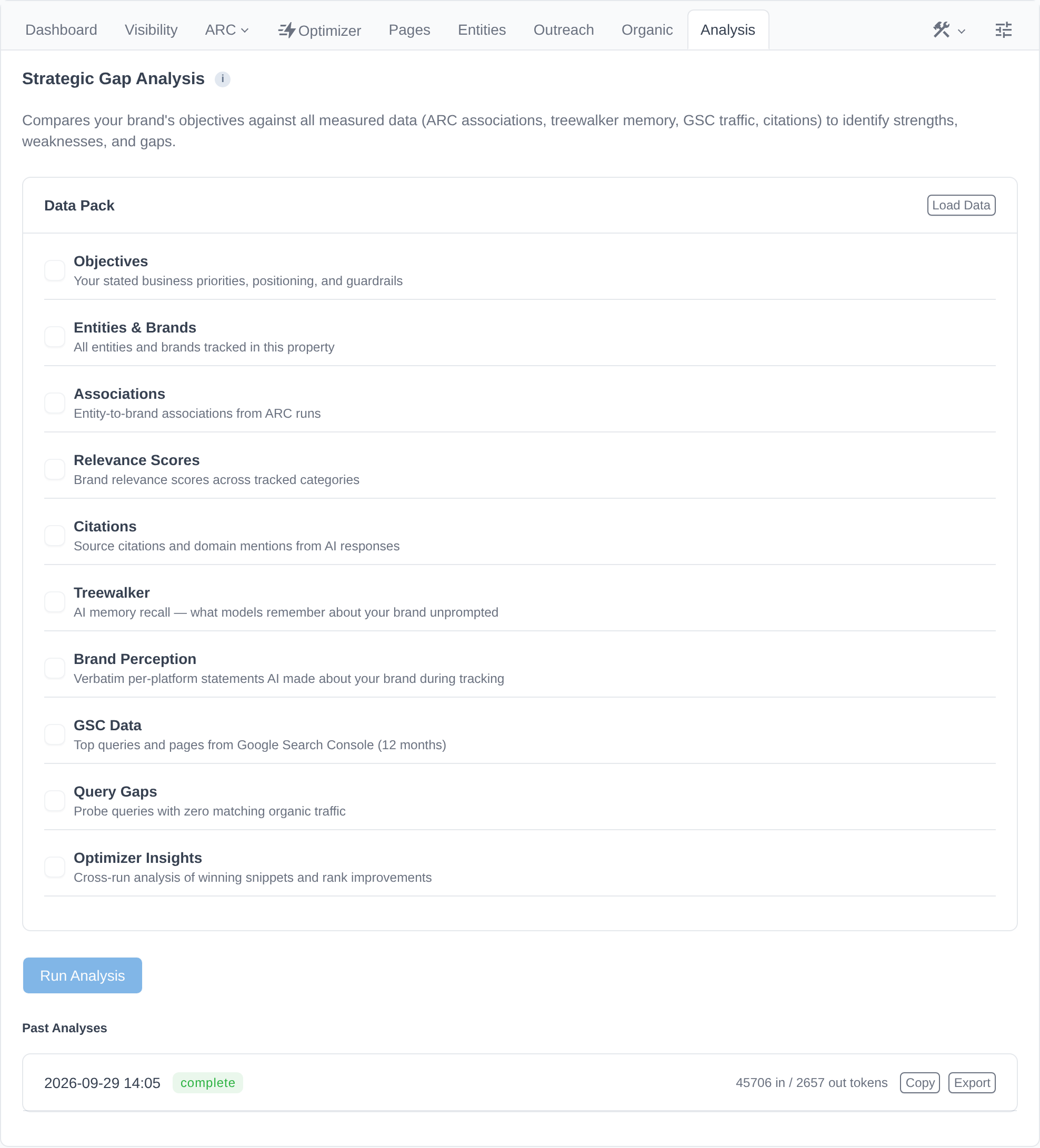
Gap Analysis, on the Analysis tab, builds a Data Pack from up to 10 sections of your project, sends it to Google's latest primary model with a strategic analysis prompt, and stores the answer. The answer has five parts: Strengths, Weaknesses, Gaps, Optimization Directions and Query Strategy. The prompt asks for specific data points, query names, brand names and entity names, so findings cite numbers from your project.
The demo project's analysis ran on 29 September 2026. It read 45,706 tokens of project data, wrote 2,657 tokens and finished in 29 seconds.
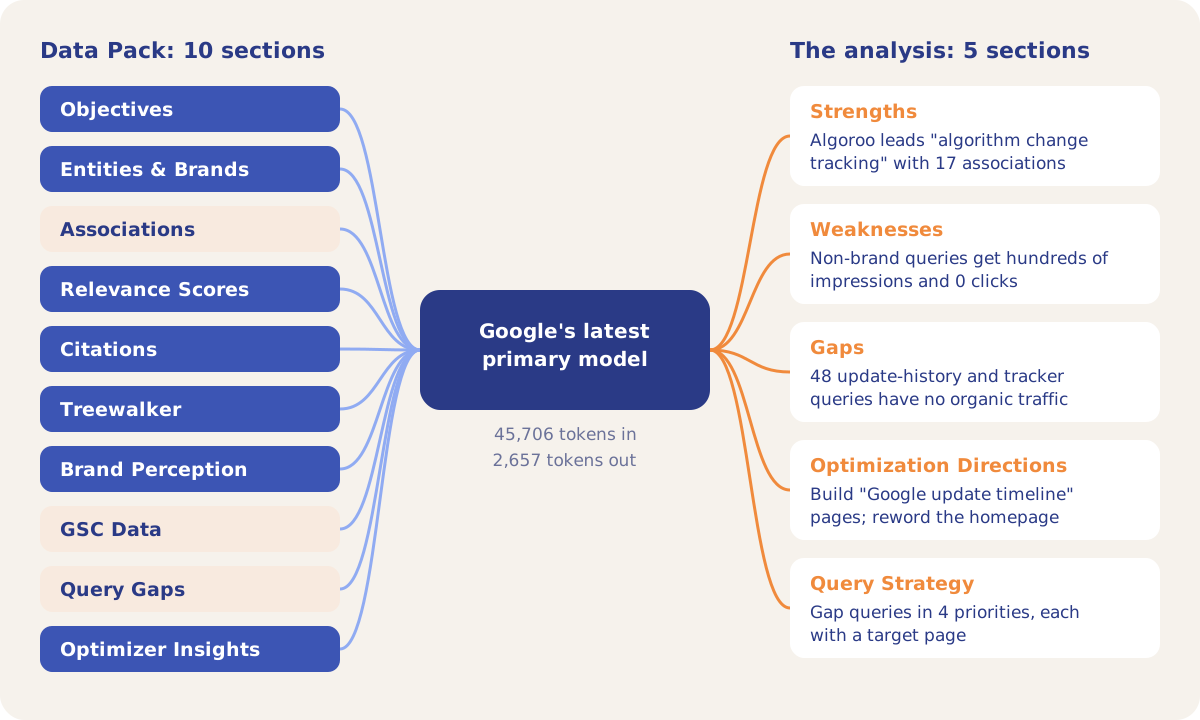
The demo analysis connected the two tabs from the example above. Under Weaknesses it listed the three non-brand tracking queries with their impressions, positions and 0 clicks, and reported that the brand query and its misspellings bring most of the clicks. Under Gaps it named 48 queries about update history and update tracking that have no organic traffic. Under Optimization Directions it proposed new pages for Google update history and a homepage rewrite based on a Content Optimizer claim that had moved Algoroo from rank 3 to rank 1.
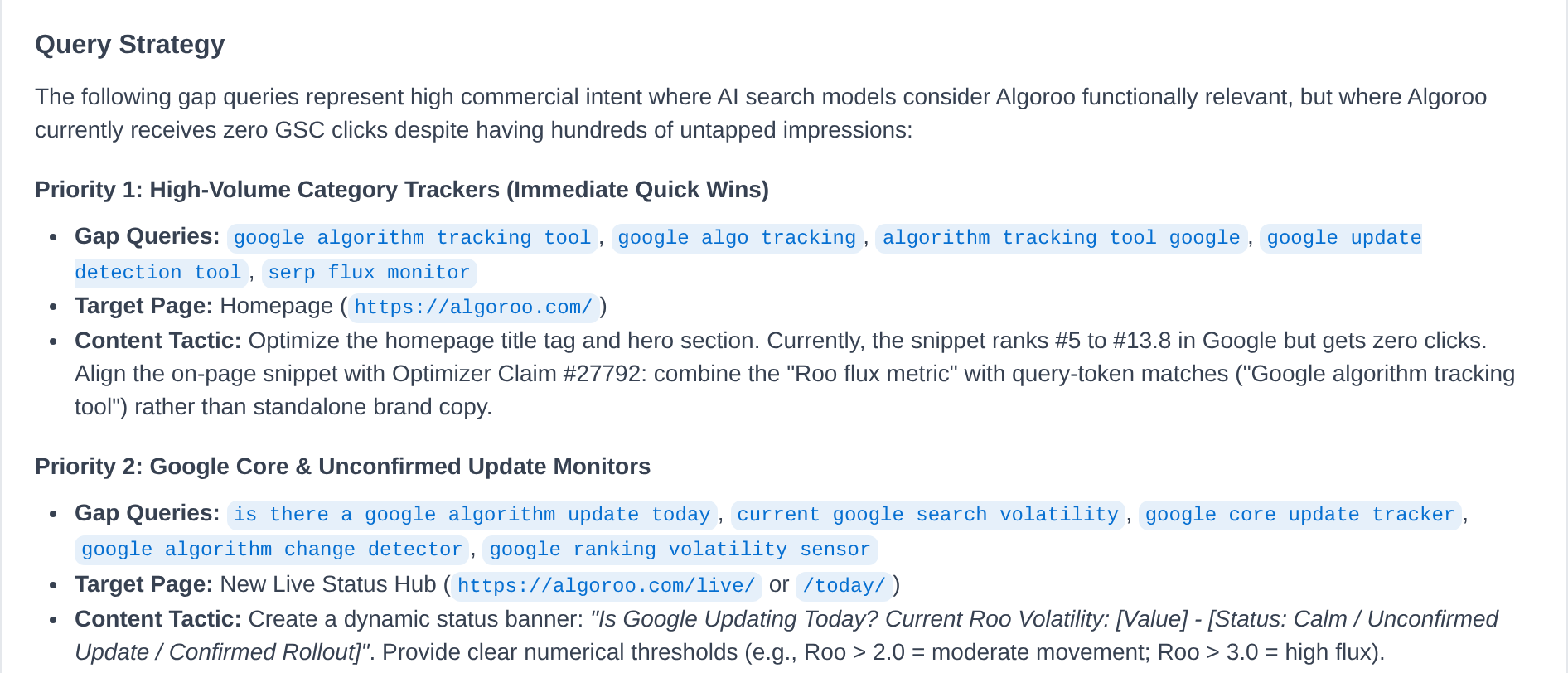
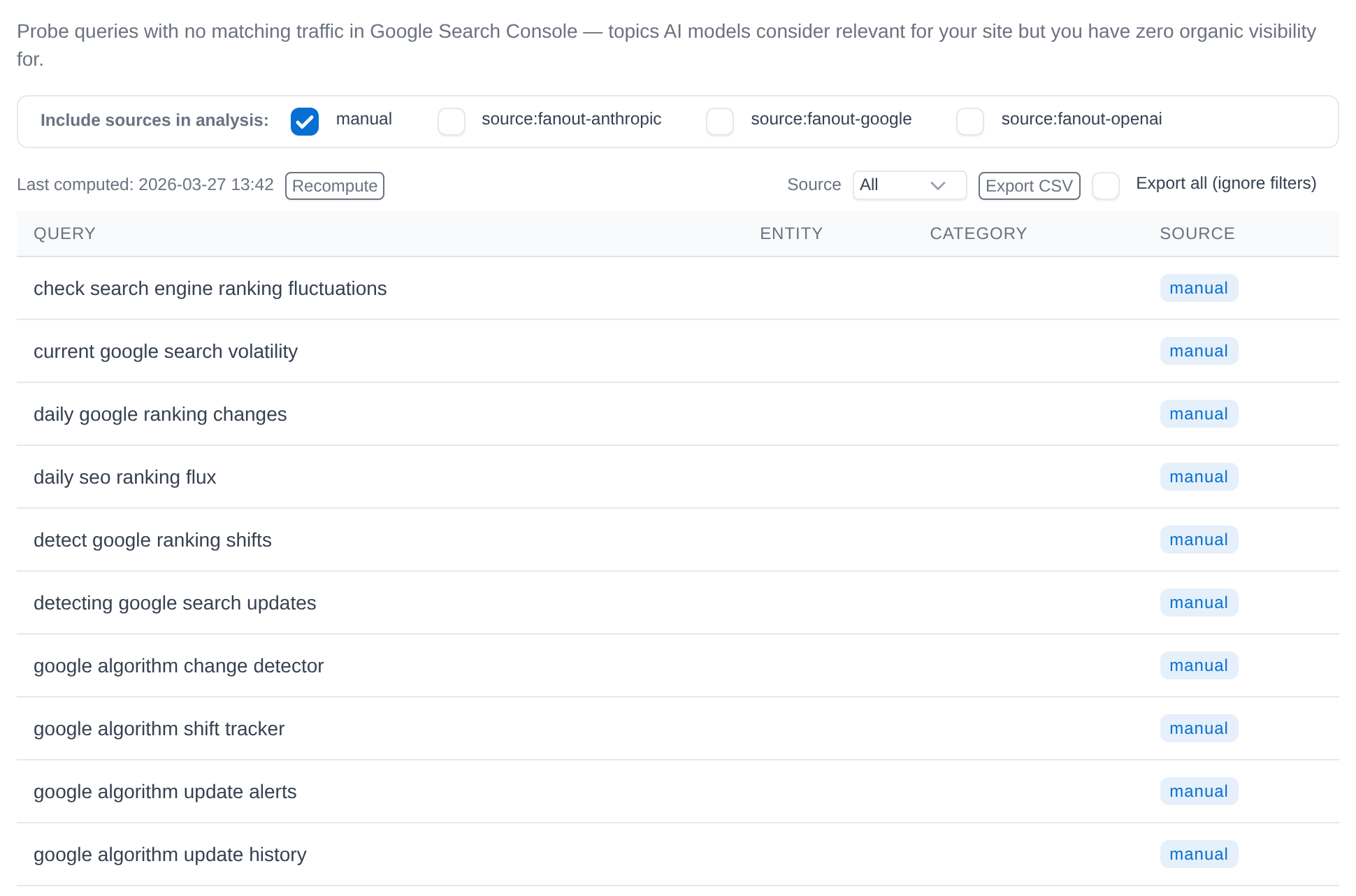
The Query Gaps section comes from the Organic tab. A query gap is an enabled probe query whose text does not appear in your Search Console data. In the demo project, the Query Gaps sub-tab lists 48 gaps, last computed on 27 March 2026.
How it works
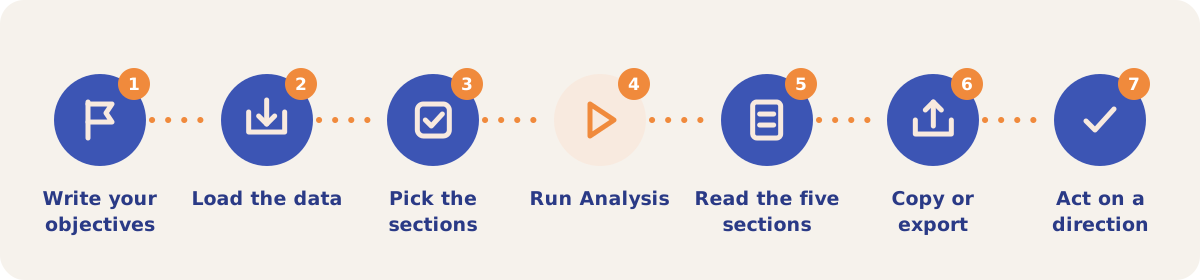
- Write your objectives. On the Settings tab, open the Objectives sub-tab and write your priorities, positioning and guardrails. The Objectives section is always part of the pack, and without it the Analysis tab shows a reminder to add them.
- Load the data. Click Load Data on the Data Pack card. Each section shows its token count, and "inspect" opens a preview of the text that will be sent.
- Pick the sections. Sections with data are ticked and empty sections are not. Untick any section you want to leave out.
- Run Analysis. The run passes through its stages (querying data, sending to the model, processing the response) and shows the result when it completes.
- Read the five sections. Strengths, Weaknesses, Gaps, Optimization Directions with an expected impact for each direction, and Query Strategy with gap queries, a target page and a content tactic per group.
- Copy or export. Every analysis stays under Past Analyses with its date and token counts. Copy puts the text on your clipboard and Export downloads it.
- Act on a direction. Test a proposed page edit in the Content Optimizer, or turn a query group into a brief for a new page.
The Data Pack sections
| Section | What it contains |
|---|---|
| Objectives | Your priorities, positioning and guardrails from Settings. Always included. |
| Entities & Brands | The entities and brands tracked in the project. |
| Associations | Entity-to-brand associations from ARC runs. |
| Relevance Scores | Brand relevance scores across tracked categories. |
| Citations | Cited domains and brand mentions from AI responses. |
| Treewalker | What models recall about your brand, with and without a search. |
| Brand Perception | Statements each AI platform made about your brand during tracking. |
| GSC Data | Your top 100 queries and top 100 pages by clicks from Search Console, for the Organic tab's date window. |
| Query Gaps | Probe queries with no matching organic traffic. |
| Optimizer Insights | Which rank factors moved your rank across past Content Optimizer runs, with a claims summary per run. |
Strategies and use cases
- Write objectives first. The prompt defines a gap as something your objectives call important that is absent or underrepresented in the data, so the Gaps section is only as specific as your objectives.
- Compute Query Gaps before you run. The Query Gaps section only has content after a compute on the Organic tab, and it needs Search Console connected. Pick which query sources count in the "Include sources in analysis" row.
- Run Content Optimizer tests before the analysis. With Optimizer Insights in the pack, a direction can cite the run and claim that proved it. The demo analysis cited a run that moved Algoroo from rank 3 to rank 1 for "Algorithm Change Tracking".
- Re-run after a content change. Past Analyses keeps every run with its date, so you can compare what moved between two analyses.
- Leave out sections to focus the answer. An analysis with only Objectives, GSC Data and Query Gaps concentrates on organic gaps; one with Citations and Brand Perception concentrates on how AI platforms describe you.
How it connects to the rest of the app

Organic Search
Supplies the GSC Data section and computes the Query Gaps.
Association Probes
Produces the entity-to-brand associations in the Associations section.

Citation Mining
Supplies the cited domains and brand mentions in the Citations section.

Treewalker
Supplies what models recall about your brand, with and without a search.

Content Optimizer
Feeds Optimizer Insights and tests the page edits the analysis proposes.
Measuring Relevance
Produces the brand relevance scores in the Relevance Scores section.
Open the demo project's Analysis tab and click the analysis of 29 September 2026 under Past Analyses to read it in full.
Run your first gap analysis
Your first project includes a complimentary visibility baseline. Gap Analysis uses credits.